

1-Visitor
August 20, 2013
Question

how to create a new pen_table_file

  • August 20, 2013
  • 2 replies
  • 1819 views

can u pls explain, how to create a new pen_table_file and edit to various pen values you mentoned above.. i can't able to create that..

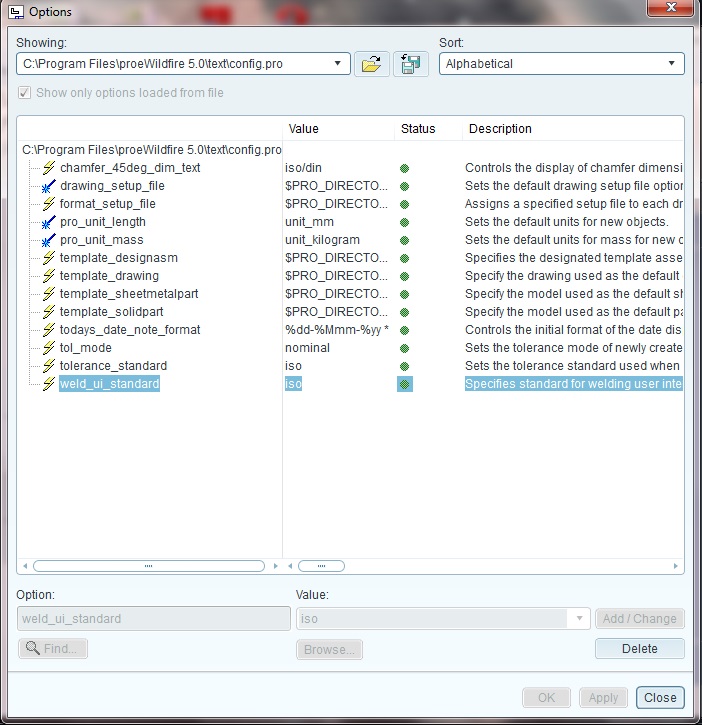
i followed the steps Tools- options,my window looks like below

but i can't found pen_table_file on that window, pls guide me how to move further to create a new pen_table_file and edit the values..4.jpg
    2 replies

    12-Amethyst
    August 20, 2013

    Hello, try following:

    1) Copy following text into *.txt file. It´s in czech leanguage. Rows with ! are notes.

    ! TABULKA PER - černý tisk

    ! VÝRAZY V KULATÝCH ZÁVORKÁCH - SKUPINY S BARVAMI (NAPŘ. ZMĚNA BARVY SKICOVANÉ ENTITY VE VÝKRESE)

    !(GEOMETRY, VOLUME) hrany geometrie, objem

    pen 1 color 0 0 0; thickness 0.025 cm;

    !(LETTER) kóty

    pen 2 color 0 0 0; thickness 0.01 cm;

    !(HIDDEN) skryté hrany

    pen 3 color 0 0 0; thickness 0.01 cm;

    !(HIGHLITE) červená strana roviny, zvýraznění

    pen 4 color 0 0 0; thickness 0.01 cm;

    ! "Sheetmetal"

    pen 5 color 0 0 0; thickness 0.01 cm;

    !(SECTION)

    pen 6 color 0 0 0; thickness 0.01 cm;

    !(DIMMED)

    pen 7 color 0 0 0; thickness 0.01 cm;

    !(EDGE_HIGHLITE_COLOR) text

    pen 8 color 0 0 0; thickness 0.01 cm;

    2) Extension of the file you have just created needs to be changed from *.TXT to *.PNT

    3) Add following config.pro options:

    pen_table_file W:\CREO_2_setup\pen_table\pen_table.pnt --- MUST BE EXACT PATH to avoid problems

    pdf_use_pentable yes

    l hope it will works.

    Also try to check integrated ProE help for "Pen table" expresion.

    17-Peridot
    August 20, 2013

    See the second entry in the previous post. I have included a simple pen table file and a simpler way to use it until you get it the way you want: entity line high thickness in printout

    And also the last entry here on how to add a pen table to config.pro: Changing line thickness in Pro E 5 Drawings