

1-Visitor
January 31, 2014
Question

How to get centre line for arc automatically?

  • January 31, 2014
  • 3 replies
  • 4053 views

Hi folks,

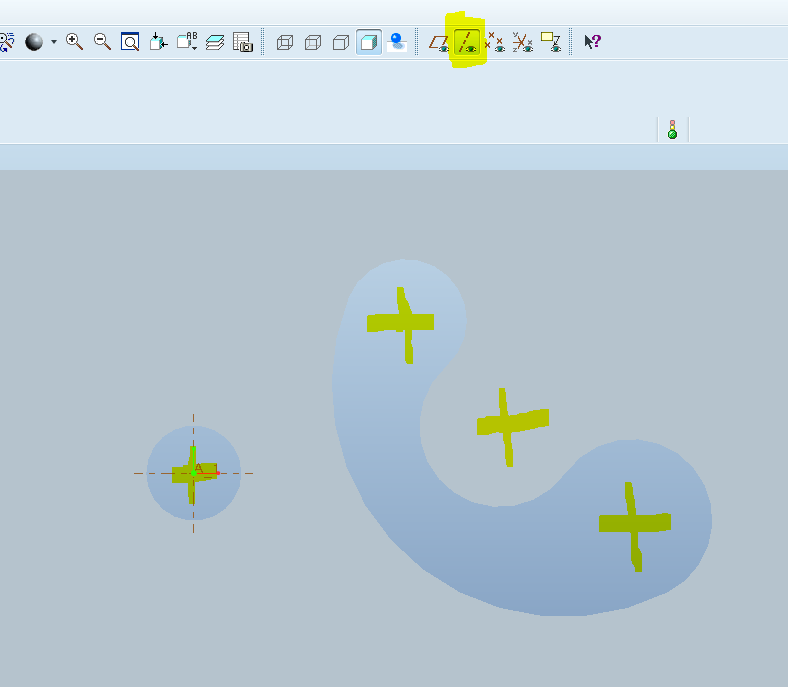
while we sketch any circle or arc,by defalut it wil show centre line?

But in wf-5.0 full circle only showing centre line.

what we need to do get centre lines for arcs also autometically?

AraviK
centre.PNG

    3 replies

    17-Peridot
    January 31, 2014

    config.pro show_axes_for_extr_arcs yes

    13-Aquamarine
    January 31, 2014

    Thanks Tom - I shall be setting that to no in my personal config! I don't want an axis through every dratted arc in every sketch I extrude...

    1-Visitor
    January 31, 2014

    Go to sketcher mode and place geometry point in arc center. close the sketcher mode then you can view centerline in 3d mode.

    Regards

    Viswanathan.K

    AraviK11-VisitorAuthor
    1-Visitor
    January 31, 2014

    Thanq visu & Antonius Dirriwachter.

    Antonius Dirriwachter, But its not working even set YES in config.pro options. 😞

    Thanks

    23-Emerald IV
    January 31, 2014

    I just did a couple of quick tests and it appears that the config option is applied during initial feature creation.

    If a feature was created with the option set to 'yes', it will show axes, even if the option is later set to 'no'.

    If a feature was created with the option set to 'no', it will not show axes, even if the option is later set to 'yes'.

    Redefining the feature does not change the behavior, even if the option has been changed since. It continues to behave the way the option was initially set when the feature was originally created.

    17-Peridot
    January 31, 2014

    Yes, this is a poorly implemented feature. The setting only applies to features created after the setting and there is no way to switch it.

    As long as the object is an extrude anyway, I like Viswanathan's method best, using the geometry point remains optional. The only problem I've had in the past is that when editing some sections after the fact, the geometry point feature is grayed out. There is something going on in the background that makes this axes generation incompatible after certain operations.

    And Jonathan, I finally came up with the conclusion. All the extra axes in the model really do get annoying after a while. When you use the config option to allow them, it is often after the fact that you think about it so you find yourself doing it over and over again.