15-Moonstone
January 8, 2015
Solved

how to make model dimensions larger

  • January 8, 2015
  • 3 replies
  • 2643 views

this should be an easy one for all you guys out there.

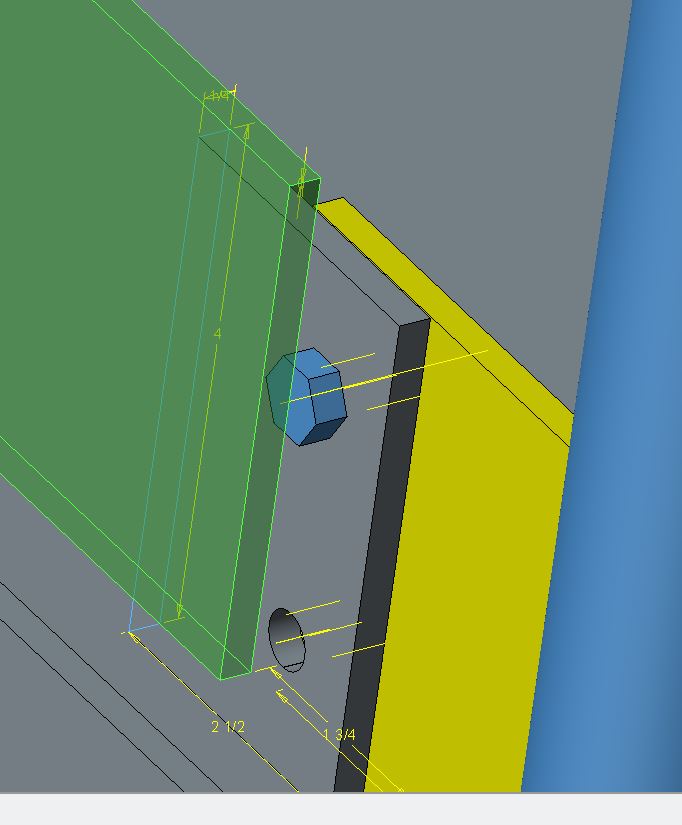
How do I make these dimensions larger?

DIMS_BIGGER.JPG

Best answer by dschenken

Doesn't the hidden config control this?

Found it - again. http://www.synthx.com/tom/sy_tip_0307.htm

TEXT_HEIGHT_FACTOR 40

3 replies

17-Peridot
January 8, 2015

This might help read the text better:

enable_transparent_text_bg *yes/no

dschenken1-VisitorAnswer
1-Visitor
January 8, 2015

Doesn't the hidden config control this?

Found it - again. http://www.synthx.com/tom/sy_tip_0307.htm

TEXT_HEIGHT_FACTOR 40

17-Peridot
January 8, 2015

David, that is not doing anything for me in Creo 2.0... at least not in session.

edit: I take it back... it takes affect after a while

SYNDAKIT15-MoonstoneAuthor
15-Moonstone
January 9, 2015

I can confirm that it does work. I'm using Creo 3.0 M020.

Although you can't search for it, you can enter it manually into the configuration options.

I love this group.

Thanks to all of you that help.

-Joe