1-Visitor
October 19, 2015
Solved

How to split curve in creo parametric 2.0?

  • October 19, 2015
  • 1 reply
  • 4223 views

Hi,

I imported a curve(iges format) to creo parametric,

I want to know how to split that curve, help me

thanks

    Best answer by Constantin

    Hi,
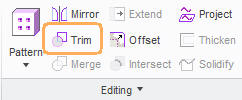
    you can 'trim' curves in the 'Editing' menu.
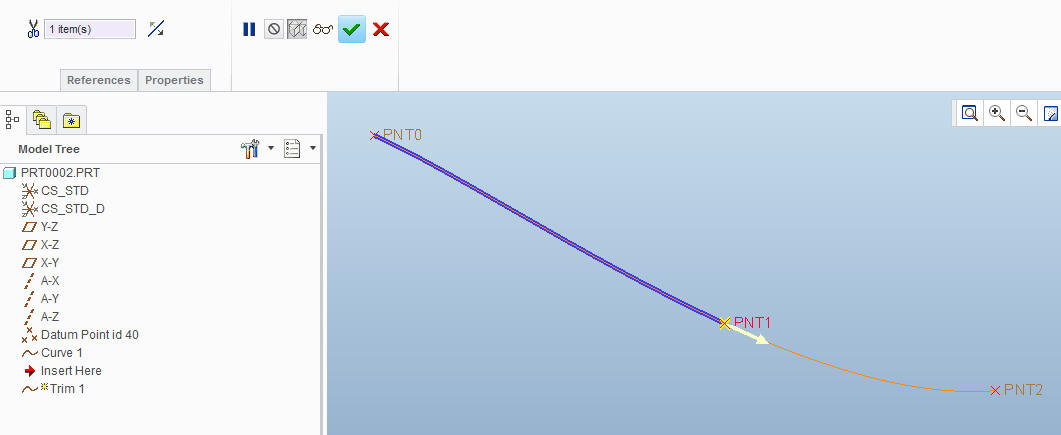
    You can use various elements as trimming references, such as points, datum planes, etc.

    trim1.jpg

    trim2.jpg


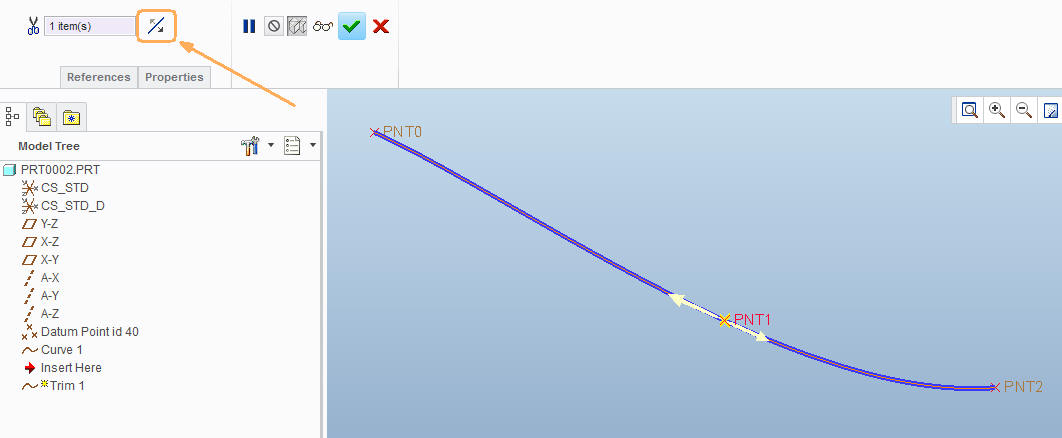
    In case you want to keep both sides, you need to toggle the direction twice (third time brings you back to the first direction).trim3.jpg

    1 reply

    15-Moonstone
    October 19, 2015

    Hi,
    you can 'trim' curves in the 'Editing' menu.
    You can use various elements as trimming references, such as points, datum planes, etc.

    trim1.jpg

    trim2.jpg


    In case you want to keep both sides, you need to toggle the direction twice (third time brings you back to the first direction).trim3.jpg

    1-Visitor
    October 19, 2015

    Hi Constantin,

         Thanks for your replay,

    If we use trim option, then portion of the curve is going to be deleted.

    I want to split the curve but complete curve should be there 

    15-Moonstone
    October 19, 2015

    Hi,
    that is exactly what I describe in the last picture: if you toggle the direction twice and get the double arrow, the curve is split, you keep both sides that afterwards you can select as separate entities.