Question
Moving notes in Creo 3
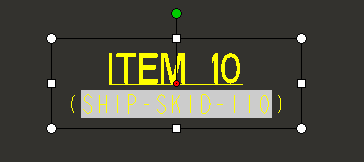
Moving notes in Creo 3 has become more difficult. You have to get your mouse over the "text box" edges to get the 4-way arrow to show to be able to move the note.
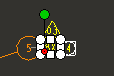
Additionally, if you've zoomed out and realize you want to move a "small note, you can't get the 4-way arrow to show because all the drag boxes are showing.
Before I post an PRODUCT IDEA in the land of never again seen posts, anyone have any tips?