

8-Gravel
July 16, 2015
Question

Problem in Integration of Creo 2.0 with Matlab 13 Simulink

  • July 16, 2015
  • 1 reply
  • 2038 views

Hi,

I am facing a problem while integrating the matlab with creo 2.0.

I have successfully completed the steps that are required to start Simulink in Matlab.

While adding the registry file in creo 2.0 gives me the error as shown in the screenshot


Please help me out if any body knows the solutions for this.


i have tried for all different versions i.e Pro/e 4, Creo 2.0, and Creo 3.0.


If possible also share some better solution to do this


Regards,

Jignesh
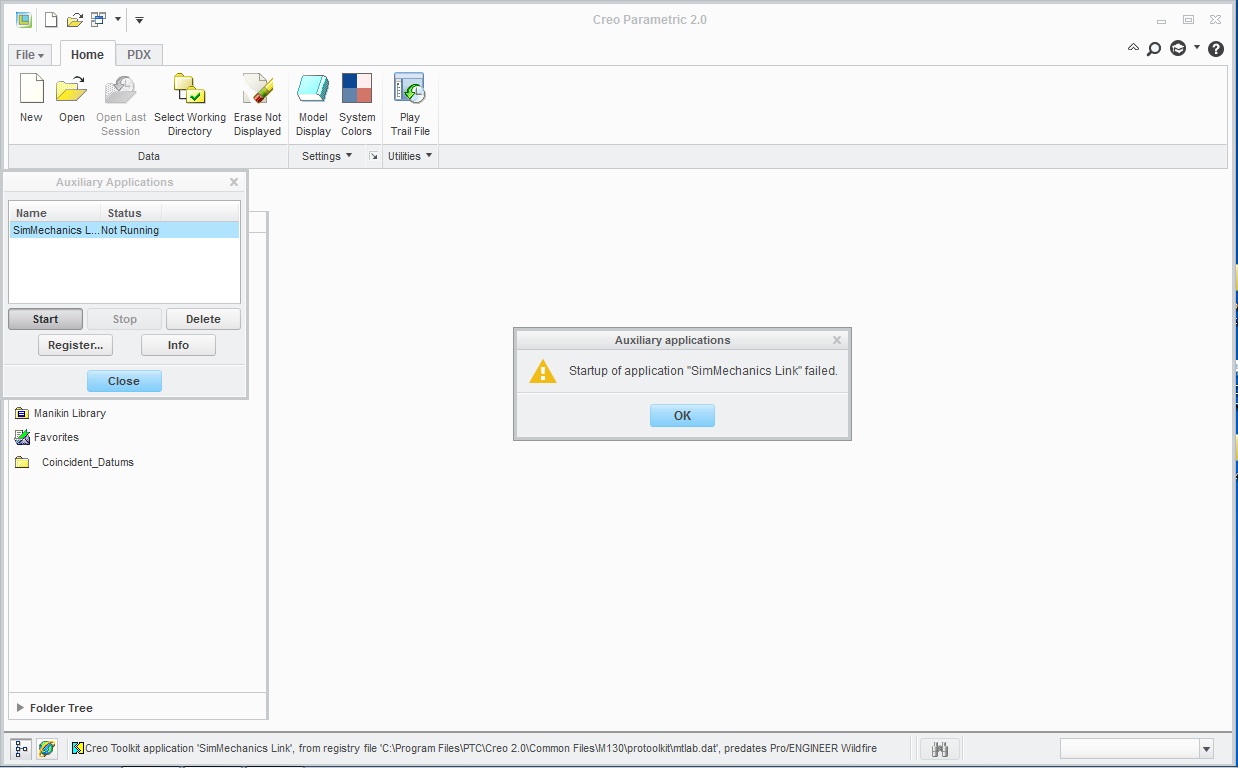
New Bitmap Image.jpg

    1 reply

    24-Ruby III
    July 16, 2015

    Hi,

    can you show us the contents of protk.dat file ?

    Martin Hanak

    jvadalia8-GravelAuthor
    8-Gravel
    July 18, 2015

    Hi,

    the content of the protk.dat file is as follows:-

    name SimMechanics Link

    startup dll

    exec_file C:\Program Files\MATLAB\R2013a\bin\win32\cl_proe2sm.dll

    text_dir C:\Program Files\MATLAB\R2013a\toolbox\physmod\smlink\cad_systems\proe

    end

    24-Ruby III
    July 18, 2015

    Hi,

    at the following page I have found some information

    http://www.mathworks.com/help/physmod/smlink/ref/linking-and-unlinking-simmechanics-link-software-with-proengineer.html

    The general contents of protk.dat is:

    name SimMechanics Link
    startup dll
    exec_file matlabroot\bin\os\cl_proe2sm.dll
    text_dir matlabroot\toolbox\physmod\smlink\cad_systems\proe\text
    end

    matlabroot ... absolute path to MATLAB root folder
    os ... operating system, eg. win32 or win64

    In your case os=win32, that means you are calling 32-bit version of SimMechanics Link. I suppose that 32-bit version of SimMechanics Link can be used with 32-bit version of Creo 2.0, only. If you use 64-bit version of Creo 2.0, then you have to call 64-bit version of SimMechanics Link (os=win64 in protk.dat).

    Martin Hanak