Solved
Problem making a curve that go through different planes
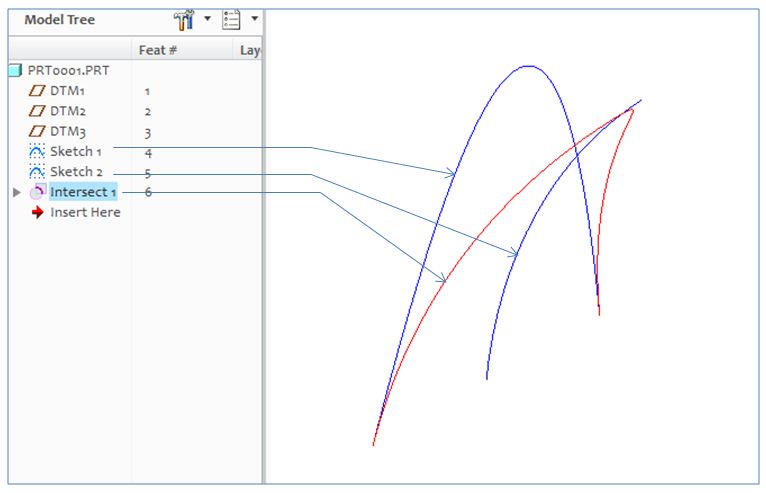
Hello i working in alias and creo and I try to do the same model that i have done in alias, in creo. So I have a problem making a curve that go through different planes in creo witch is easy to do in alias.
Here are 3 Pic (uploaded on imgur) so it is easier for you to see:
imgur.com/a/L9zzr
Imgur: The most awesome images on the Internet
So i have problem with making the curve you see in the pictures( problem in creo), witch the arrows point at, because the curve is "curved" and go through different planes, do you know how to do it? should i use intersect in some way and how do I use it then?