
1-Visitor
October 28, 2013
Solved

removing a line in the table
  • October 28, 2013
  • 2 replies
  • 4640 views

cgvhbdfhgdsfg.jpg

Hi,

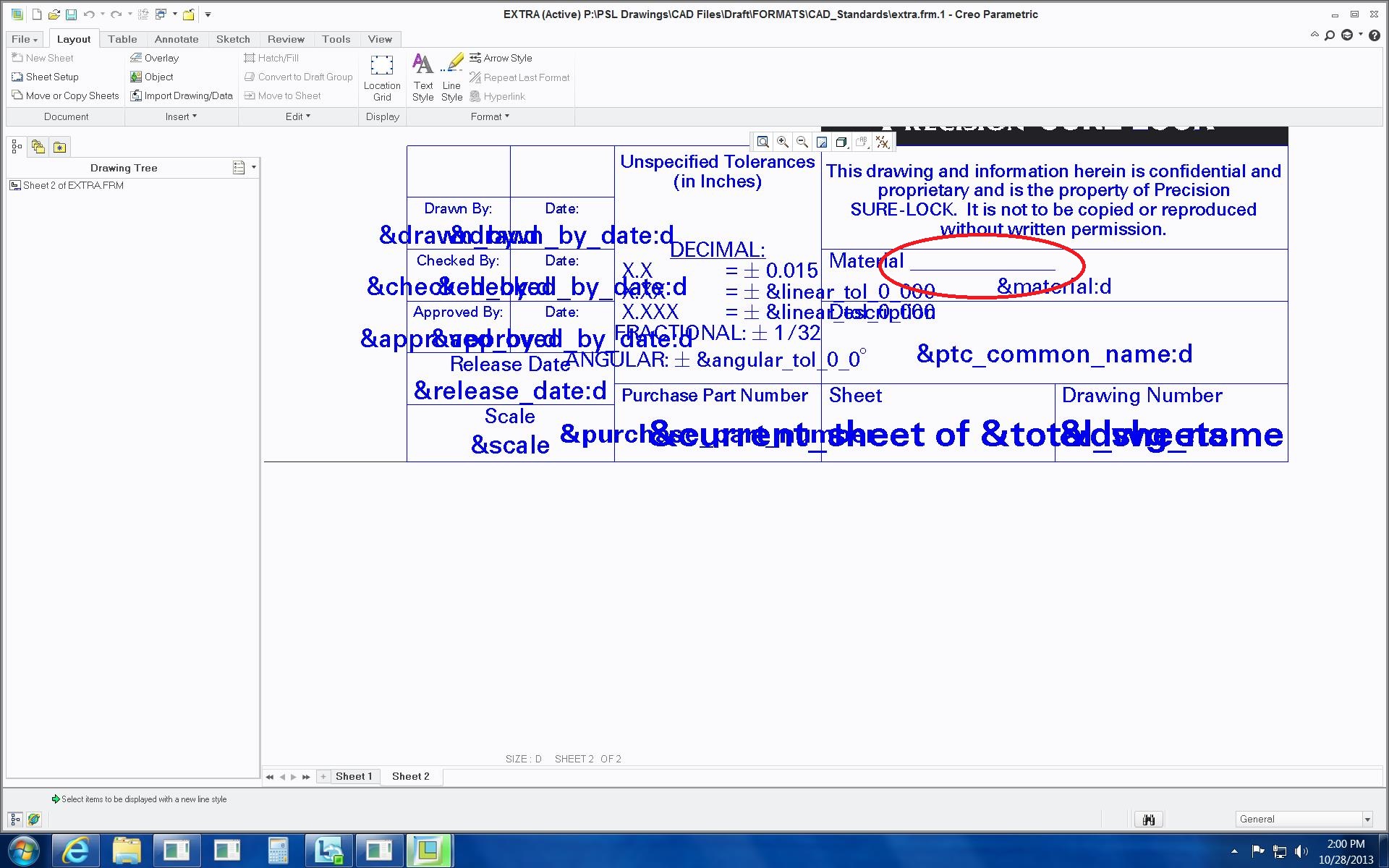
I cant figure out how to erase this line! Ive unmerged and merged several times and its still there.

Thanks,

Kaci

    Best answer by James62

    Hello,

    I think you have to blank that line, in case it's part of the table, and if it's not coming from the cell's content.

    Select the whole table --> RMB --> select Line Display --> then in menu manager pick Blank --> and then select the line.

    2 replies

    Dale_Rosema
    23-Emerald III
    23-Emerald III
    October 28, 2013

    I'm sure you already checked, but it is not part of the annotation in the word material.

    (i.e. Material_________ )

    James621-VisitorAnswer
    1-Visitor
    October 28, 2013

    Hello,

    I think you have to blank that line, in case it's part of the table, and if it's not coming from the cell's content.

    Select the whole table --> RMB --> select Line Display --> then in menu manager pick Blank --> and then select the line.

    1-Visitor
    October 28, 2013

    Hi,

    Thank you it worked! I just wish I can do the same thing when I'm editing the format file.

    I just have to blank the line out everytime.

    Thanks,

    Kaci

    24-Ruby III
    October 29, 2013

    Kaci,

    my colleague uses Blank command in Format mode without any problem in any ProE/Creo release.

    Martin Hanak