


Question
Stop Case chamfer again - not stop at reference
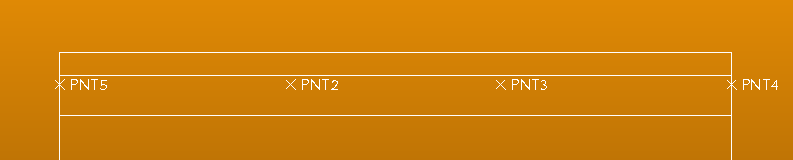
I need to make two chamfers: one between pts 3&4 and one between pts 2 & 5.
When I go to select the transitions, I can't select the middle piece; it will only allow me to select the ends. When I choose pt 3, it flips the chamfer to the left of pt 3, when I need it to go to the right. Same when picking point 2 - it flips to the right when I need it to flip to the left.
Hopefully someone can help.....I've tried stop case as well, but can't seem to get it to allow me to pick two points after I pick the transition.
Thank you!