17-Peridot
May 17, 2016
Question

Text of the sections' notes

  • May 17, 2016
  • 2 replies
  • 1711 views

Hi all,

I wonder if there are the options to edit automatically the text of the sections' notes within the drw.
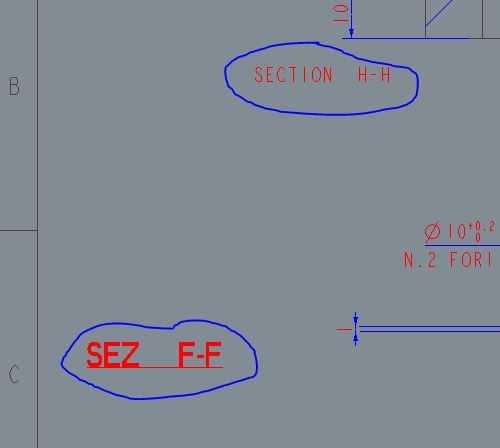
Cattura.JPG

I would need a text like the bottom one, instead now I have the top one.

Thanks.

Bye

    2 replies

    24-Ruby III
    May 18, 2016

    Hi,

    Creo provides 2 drawing options related to drawing view notes, only.

    view_note std_din

    • removes SECTION from view note text

    def_view_text_height height

    • sets text height

    MH

    1-Visitor
    May 19, 2016

    After you edited 1st section note, you select 2nd note and then click Repeat Last Format, or Properties -> Text Style -> Existing Text: Select Text (to select 1st section note)