


Dale_Rosema
23-Emerald III
23-Emerald III
March 1, 2013
Solved

Your stuff, Bookmarks

  • March 1, 2013
  • 1 reply
  • 1278 views

I was wondering how to use the Bookmarks under the Your Stuff drop down next to one's name up by the top right of the page.

I wanted to book mark a particular discussion: Tips for Text:

http://communities.ptc.com/message/182709#182709

How do you actually create a bookmark with the drop down, and can you use it for discussion or something else?

Thanks, Dale
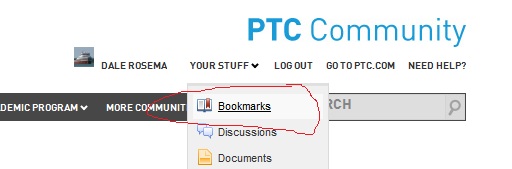
bookmarks.jpg

    Best answer by LukaszMazur

    This drop-down menu is only for managing your already stuff, or at least looks like that. If you want to bookmark specific topic, on your right there is this blue-background menu Actions, where you have stuff like Report abuse, View as PDF and Bookmark this. As you can guess, the last one bookmarks your current topic and then, using drop-down menu Your Stuff, you can access it later.

    1 reply

    16-Pearl
    March 1, 2013

    This drop-down menu is only for managing your already stuff, or at least looks like that. If you want to bookmark specific topic, on your right there is this blue-background menu Actions, where you have stuff like Report abuse, View as PDF and Bookmark this. As you can guess, the last one bookmarks your current topic and then, using drop-down menu Your Stuff, you can access it later.

    Dale_Rosema
    23-Emerald III
    23-Emerald III
    March 4, 2013

    ... and now it shows up as a book mark in my "Your Stuff"