

06 - Multibody –How to display a body parameter in the model tree
Hello everyone and welcome to blog post #6 in this multibody blog series.
I got asked recently : How can I display a user-defined body parameter in the model tree?
If you are interested in that as well, here is how you do it.
Let’s walk through an example step-by-step.
Step 1) Let’s assign a body parameter (and let’s call it for example “MY_BODY_PARAM”)
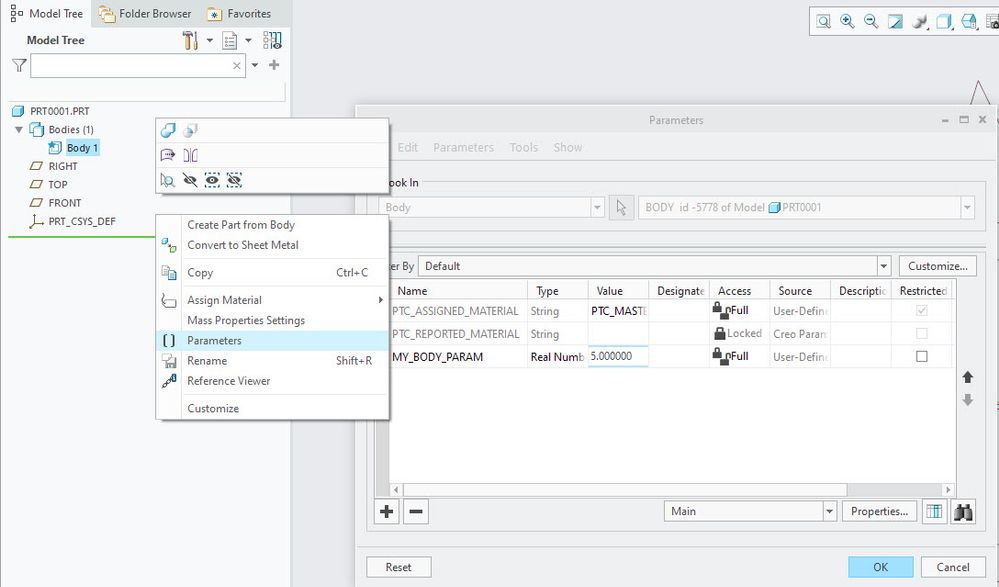
Step 2) Open the Model Tree Columns display dialog
Step 3) Select the Type: Body Params
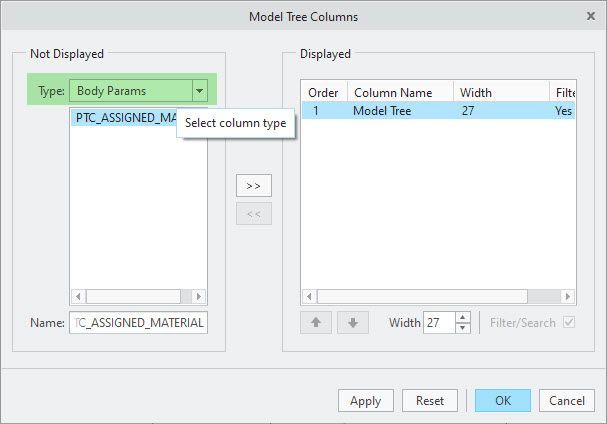
Step 4) You might notice that the list shows system parameters related to bodies (e.g. PTC_ASSIGNED_MATERIAL), but not the newly added user-defined parameter
Step 5) Manually enter the user-defined-parameter (in our example “MY_BODY_PARAM”) into the Name field
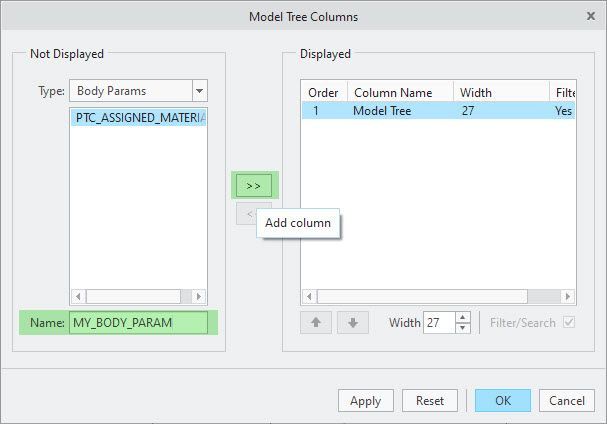
and click the double-arrow to move it into the displayed columns
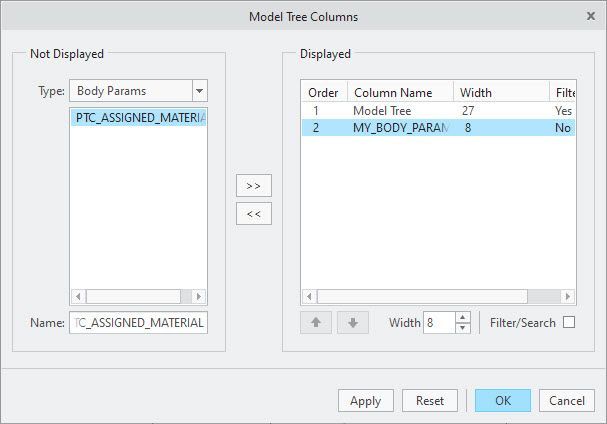
Step 6) Click “OK” and ensure model tree columns are displayed. Now you should be able to see your body parameters as part of the displayed model tree columns
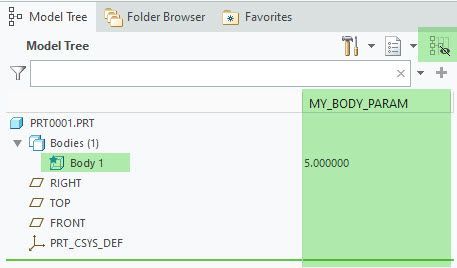
q.e.d. 🙂
I hope that helped.
Back to Creo 7.0 Multibody Home: Start Here!
Enjoy!....Martin