Easy Material Assignment
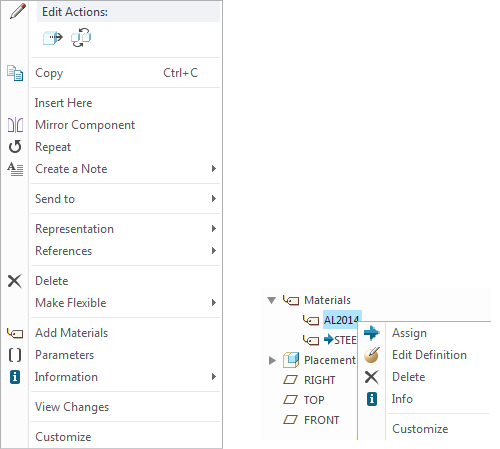
You can now assign material directly from the Model Tree or graphics area, by selecting the component and using the Right Mouse Button (RMB) menu and clicking Add Material.
If the Materials node is already visible in the Model Tree, you can also activate the RMB menu from any of the available materials to edit or assign.
Check the below images and video.