

Multibody - How to display, use or call-out a body parameter – Part 2 (new in Creo 8.0)
Hello everyone and welcome back to the multibody blog series. This post also attempts to answer another body parameter related question:
How can I display call-out a body parameter in a generic way?
We received a question and enhancement idea from customers adopting Creo 7.0 asking for Leader Note Callouts for Bodies, similar to existing notations available for models, features etc as described in the Creo help here.
(in short: Previously, when attaching a leader note to a model (component) you can get the value of a specific parameter for the attachment model. This can be achieved with the following syntax: &<param_name>:att_mdl e.g &BOM_PART_NO:att_mdl)
An analogue workflow is now supported for body parameters. We implemented and added this to Creo 8.0. This enhancement allows you to call out the values of body parameters into a leader note that is attached to that body.
To call out the value of a specific body parameter, you need to use the following syntax inside the leader note that is attached to that body:
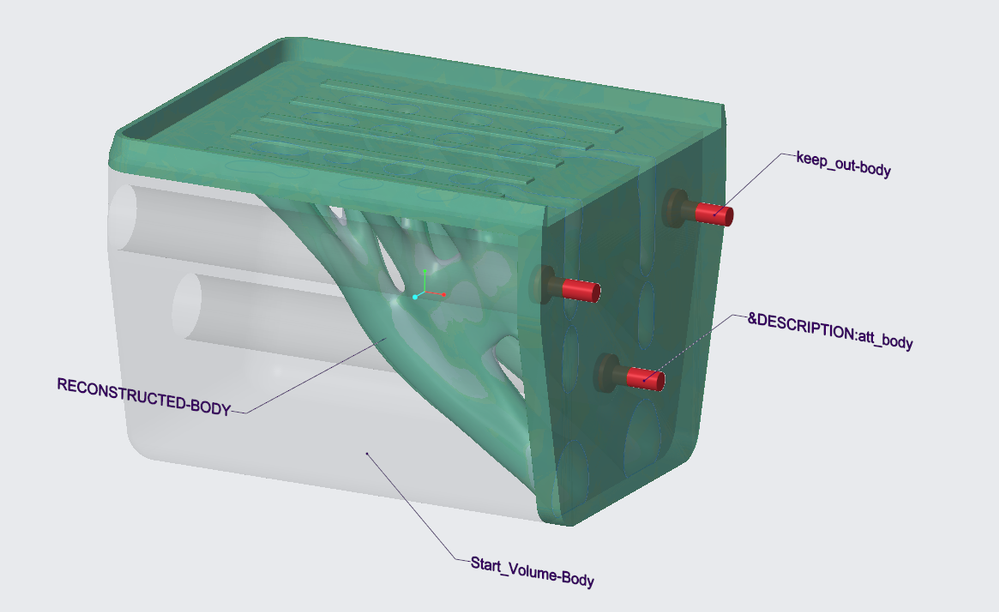
&<body-parameter-name>:att_body
For example, if you have a body parameter called Description, you could create a leader note with the callout &Description:att_body or call out the body’s material using &PTC_ASSIGNED_MATERIAL:att_body
When you create a leader note with this syntax, Creo Parametric checks the body to which the note leader is attached. If the called parameter exists for that body, then the body parameter gets evaluated and the parameter value is shown in the note.
In the case of an assembly, Creo Parametric looks for the called parameter in the body of the component to which the note is attached.
The callout is supported for all the environments and modes that already support :att_mdl.
Example:
All bodies have a DESCRIPTION parameter called out using &Description:att_body
Thanks for reading. I hope it was informative.
Back to Creo 7.0 & 8.0 Multibody Home: Start Here!
Enjoy!....Martin