

Question
Button doesn't appear in menu
Hello no matter what I'm doing button doesn't appear in menu. What am I doing wrong?
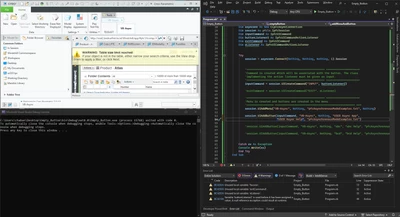
Whole Code
Imports System
Imports System.Net.Mime.MediaTypeNames
Imports pfcls

Module emptyButton
 Public Sub Main()
 Try
 addTerminationListener()
 AddMenuAndButton()
 'System.Threading.Thread.Sleep(50000)
 Catch ex As Exception
 Console.Write(ex)

 Finally

 End Try

 End Sub

 Private Sub addTerminationListener()
 Dim terminationListener As New ProEExitListener()
 Dim asynconn As New CCpfcAsyncConnection
 Dim session As pfcls.IpfcSession
 Try
 session = asynconn.Connect(Nothing, Nothing, Nothing, 1).Session
 session.asyncConnection.AddActionListener(terminationListener)
 Catch ex As Exception

 End Try

 End Sub

 Private Class ProEExitListener
 Implements IpfcAsyncActionListener
 Implements ICIPClientObject
 Implements IpfcActionListener

 Public Function GetClientInterfaceName() As String Implements pfcls.ICIPClientObject.GetClientInterfaceName
 GetClientInterfaceName = "IpfcAsyncActionListener"
 End Function

 Public Sub OnTerminate(ByVal _Status As Integer) Implements pfcls.IpfcAsyncActionListener.OnTerminate
 Dim aC As pfcls.IpfcAsyncConnection

 aC = (New CCpfcAsyncConnection).GetActiveConnection
 aC.InterruptEventProcessing()


 End Sub

 End Class

 Private Sub AddMenuAndButton()
 Dim asynconn As New CCpfcAsyncConnection
 Dim session As pfcls.IpfcSession
 Dim inputCommand As IpfcUICommand
 Dim buttonListener2 As IpfcUICommandActionListener

 Try
 session = asynconn.Connect(Nothing, Nothing, Nothing, 1).Session

 buttonListener2 = New ButtonListener()
 inputCommand = session.UICreateCommand("INPUT", buttonListener2)

 session.UIAddMenu("VB-Async", 'menu name
 Nothing, 'NeighbourItem
 "pfcAsynchronousModeExamples.txt", 'msgFile
 Nothing 'parent
 )

 session.UIAddButton(inputCommand, 'command
 "VB-Async", 'menu name
 Nothing, 'neighborButton
 "USER Async App", 'ButtonName
 "USER Async Help", 'Message
 "pfcAsynchronousModeExamples.txt" 'msgFile
 )

 Catch ex As Exception
 Console.Write(ex)

 End Try

 End Sub

 Private Class ButtonListener
 Implements pfcls.IpfcUICommandActionListener
 Implements ICIPClientObject

 Public Function GetClientInterfaceName() As String _
 Implements ICIPClientObject.GetClientInterfaceName
 GetClientInterfaceName = "IpfcUICommandActionListener"
 End Function

 Public Sub OnCommand() Implements pfcls.IpfcUICommandActionListener.OnCommand
 Me.UserFunction()
 End Sub

 Public Sub UserFunction()
 Console.Write("hello i'm doing something")
 End Sub

 End Class

End Module
MSG file
#VB-Async
VB-Async
VB-Async

#USER Async App
USER Async App
USER Async App

#USER Async Help
USER Async Help
USER Async Help

#BEDNAR
BEDNAR
BEDNAR

#abc
abc
abc

#bcd
bcd
bcd

#abc Help
abc Help
abc Help

#bcd Help
bcd Help
bcd Help