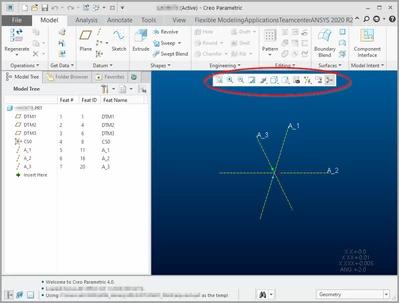
Can't customize the mini toolbar in CP4
Using CP 4. Corporate recently re-deployed a new install of CP4 to a different path. Between the "old" install and "new" install, there are some differences that we are trying to reconcile.
On the user interface, I like the min toolbar on the left side and with different icons. I can customize it for this session. But I can't make it persistent between Creo sessions.
The Creo help wasn't helpful. It doesn't explain how to save the mini toolbar settings. Implicit is that persistence is supposed to be automatic??
In the "old" CP 4 install, my min toolbar and icons correctly appeared on the left side of the graphics window across Creo sessions.
How do I pin the location to the left, update icons, and make it persistent across Creo sessions?