Solved
Creo 2.0 Parametric Customization User Interface
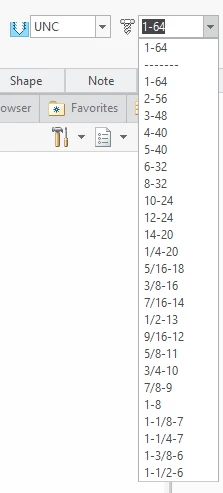
When using the HOLE function inside Creo Parametric 2.0, and selecting a threaded hole, an option to choose the thread size is on a pulldown list, only thing is, it only displays 4 thread choices, e.g.
M1x.25
M1.1x.25
M1.2x.25
M1.4x.3
Is there any way to make the box deeper and preferably wider, but definitely deeper.
I'm sure nobody out there models on a 9" wide screen anymore!
Cheers