10-Marble
January 5, 2026
Solved

Creo Parametric Default Units (length)

  • January 5, 2026
  • 1 reply
  • 229 views

Hey everyone,

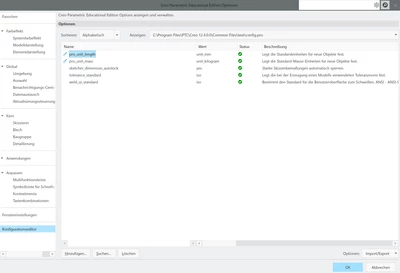
I am facing the issue that every time I create a new part file, the units are set to imperial in the model properties (first picture). I have changed the configuration file, so metric units are set as a standard (second picture). However, this apparently does not work. Does anyone know, how to keep metric units as default?
I am using Creo 12.4.0.0

Thanks and best regards,

Julian

 

JW_14443136_1-1767641034414.png


JW_14443136_0-1767640941146.png


Best answer by tbraxton

PTC overview of how to change the default templates.


https://www.youtube.com/watch?v=BDP-KJQUNs4 

1 reply

22-Sapphire II
January 5, 2026

When you are creating a new part, are you using start part file (template)? If you are using start models then the units defined in the template will be used regardless of  the config option you show above. With start models you can set up the units of choice and then make the default templates customized with units.


tbraxton_0-1767643256684.png


10-Marble
January 5, 2026

I am indeed using a template, but I don't know how to change it. Should I just create a blank part, set all the settings I want, and save it as a new template? There are various different templates by default available and i don't know what the exact difference is (I would assume inlbs is for imperial, mmns for metric. But what else are the differences?) Is it possible to change the standard template somewhere under file->options->...?
Thanks!

JW_14443136_0-1767643932398.png


22-Sapphire II
January 5, 2026

You can control what the default templates should be with config options. Watch this video for some details on model templates. 


https://www.youtube.com/watch?v=43ElkU46erk