

Did you know about custom mapkeys
Electrode designers may have a lot of use for mapkeys that automate repetitive tasks in Creo. But in big companies the configuration will probably be copied on start of Creo from a server and overwrite any unsaved changes. SMARTElectrode offers a little help for this case:
If option load_default_mapkeys is set to yes, SMARTElectrode will add mapkey.pro from directory configuration to the current session.
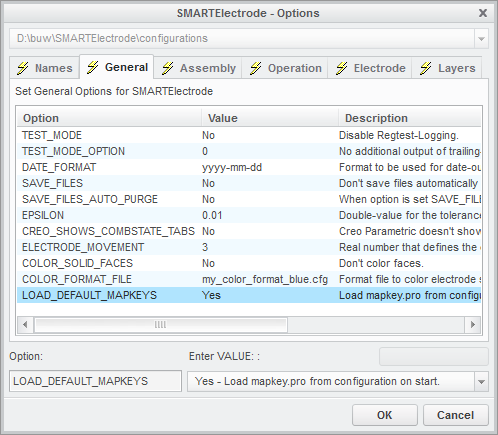
All additional mapkeys can be saved to this file and will be available on the next start of SMARTElectrode
There are already some mapkeys created for easier access to some features and saved orientations.
Mapkeys for SMARTElectrode commands
- ea - activate electrode
- ec - copy electrode to new model
- ee - evaluate/check electrode
- en - add new electrode
- ep - open electrode properties
- er - assemble electrode again on different position
- es - add smart electrode (see also Did you know about quick extraction in SMARTElectrode)
Mapkeys for SMARTElectrode orientations
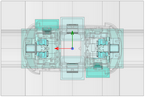
SMARTElectrode stores a number of orientations after definition of the operation csys. The mapkeys for orientations can be easily used if the keyboard includes a separate num-block.
|
7 |
8
SE_BACK |
9 |
|
4
SE_LEFT |
5
SE_TOP |
6
SE_RIGHT |
|
1 |
2
SE_FRONT |
3 |
|
0
SE_BOTTOM |
||


This thread is inactive and closed by the PTC Community Management Team. If you would like to provide a reply and re-open this thread, please notify the moderator and reference the thread. You may also use "Start a topic" button to ask a new question. Please be sure to include what version of the PTC product you are using so another community member knowledgeable about your version may be able to assist.