
18-Opal
May 4, 2018
Solved

Help me create a dialog to define the parameters

  • May 4, 2018
  • 1 reply
  • 3194 views

Hello, everyone
We try to create an application that manages parameters easily. (Batch processing)


Can I create an input window when creating parameters using the Pro Toolkit?


For Web links, you could use SELECT and TEXTBOX to specify the type, name, and value of the parameter.
What are the possibilities for pro toolkits?


Currently, we use ProMessageStringRead () to give the value of the parameter.
Does the Pro Toolkit provide a dialog that you can use to build the above application?


Or do I have to configure a direct input window?
If I have to configure myself, what documentation will help me?


Any other suggestions?


thanks
Kind Regards
Best answer by RolandRaytchev

Yes you can create dialogs ,

In Pro/Toolkit you can create you own dialogs. Here I could refer to the documentation about the chapter  17 of the ProToolkit User guide (tkuse.pdf)  User Interface: Dialogs. Important note:

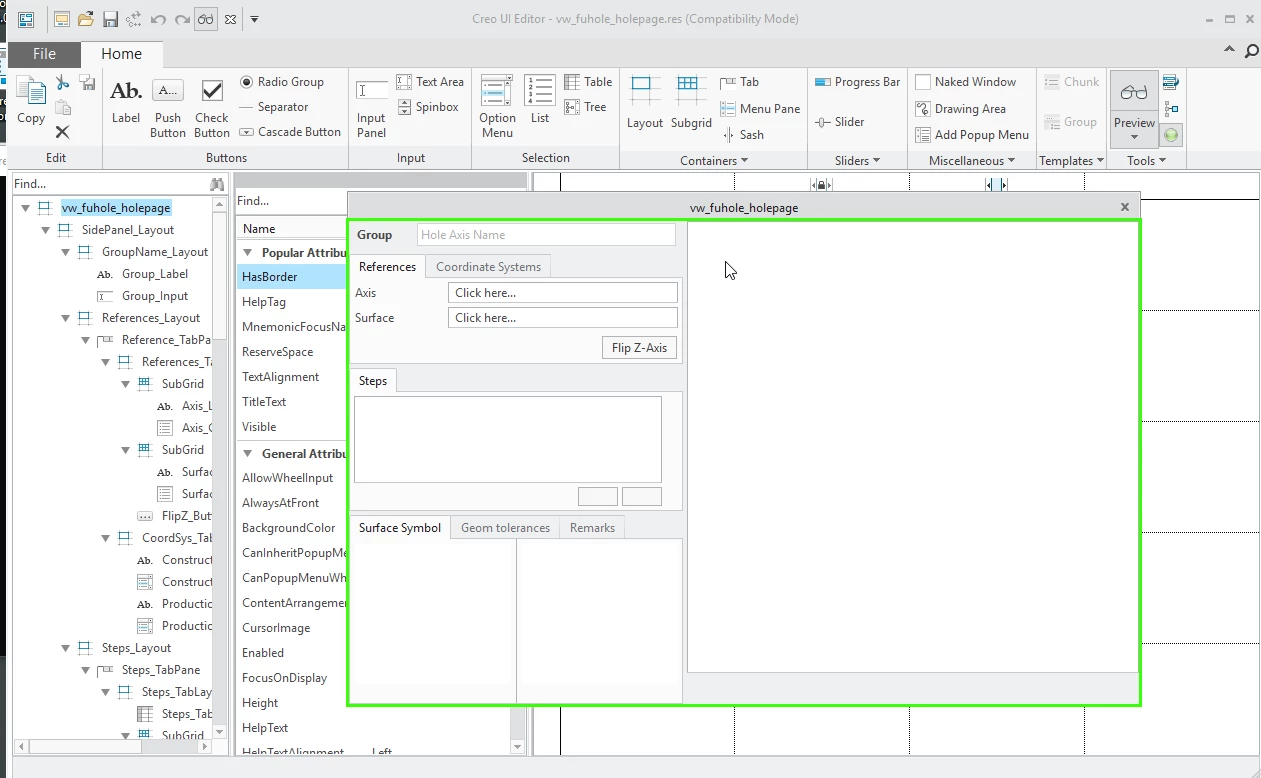
From Creo 3.0 onward, a new tool, Creo UI Editor, allows you to interactively create and edit dialog boxes for Creo Object TOOLKIT C++ and Creo Object TOOLKIT Java customizations. It provides a library of graphical user
interface components such as buttons, lists, and so on. The new framework, User Interface Foundation Classes (UIFC), provides enhanced attributes and actions for the user interface components. The UIFC framework is available in Creo Object TOOLKIT C++ and Creo Object TOOLKIT Java. You can generate callbacks in Creo Object TOOLKIT C++ or Creo Object TOOLKIT Java. Refer to the Creo UI Editor User’s Guide, for more information.

2018-05-04_11-18-16.png

Here a link to the UI Editor documentation:UI Editor Documentation

and Toolkit User Guide


1 reply

21-Topaz I
May 4, 2018

Yes you can create dialogs ,

In Pro/Toolkit you can create you own dialogs. Here I could refer to the documentation about the chapter  17 of the ProToolkit User guide (tkuse.pdf)  User Interface: Dialogs. Important note:

From Creo 3.0 onward, a new tool, Creo UI Editor, allows you to interactively create and edit dialog boxes for Creo Object TOOLKIT C++ and Creo Object TOOLKIT Java customizations. It provides a library of graphical user
interface components such as buttons, lists, and so on. The new framework, User Interface Foundation Classes (UIFC), provides enhanced attributes and actions for the user interface components. The UIFC framework is available in Creo Object TOOLKIT C++ and Creo Object TOOLKIT Java. You can generate callbacks in Creo Object TOOLKIT C++ or Creo Object TOOLKIT Java. Refer to the Creo UI Editor User’s Guide, for more information.

2018-05-04_11-18-16.png

Here a link to the UI Editor documentation:UI Editor Documentation

and Toolkit User Guide


CHASEONHO18-OpalAuthor
18-Opal
May 7, 2018

@RolandRaytchev

if i create ui in this case, musb be using c++?

can i create via pro toolkit /c ?


Thanks