
15-Moonstone
April 27, 2026
Question

How do I set the default window size?

  • April 27, 2026
  • 4 replies
  • 45 views

Hi,

Does anyone know how I can change the default window size in Creo?

Let me explain better: when I run the command View >>> Windows >>> Default Size,


the window shrinks like this.
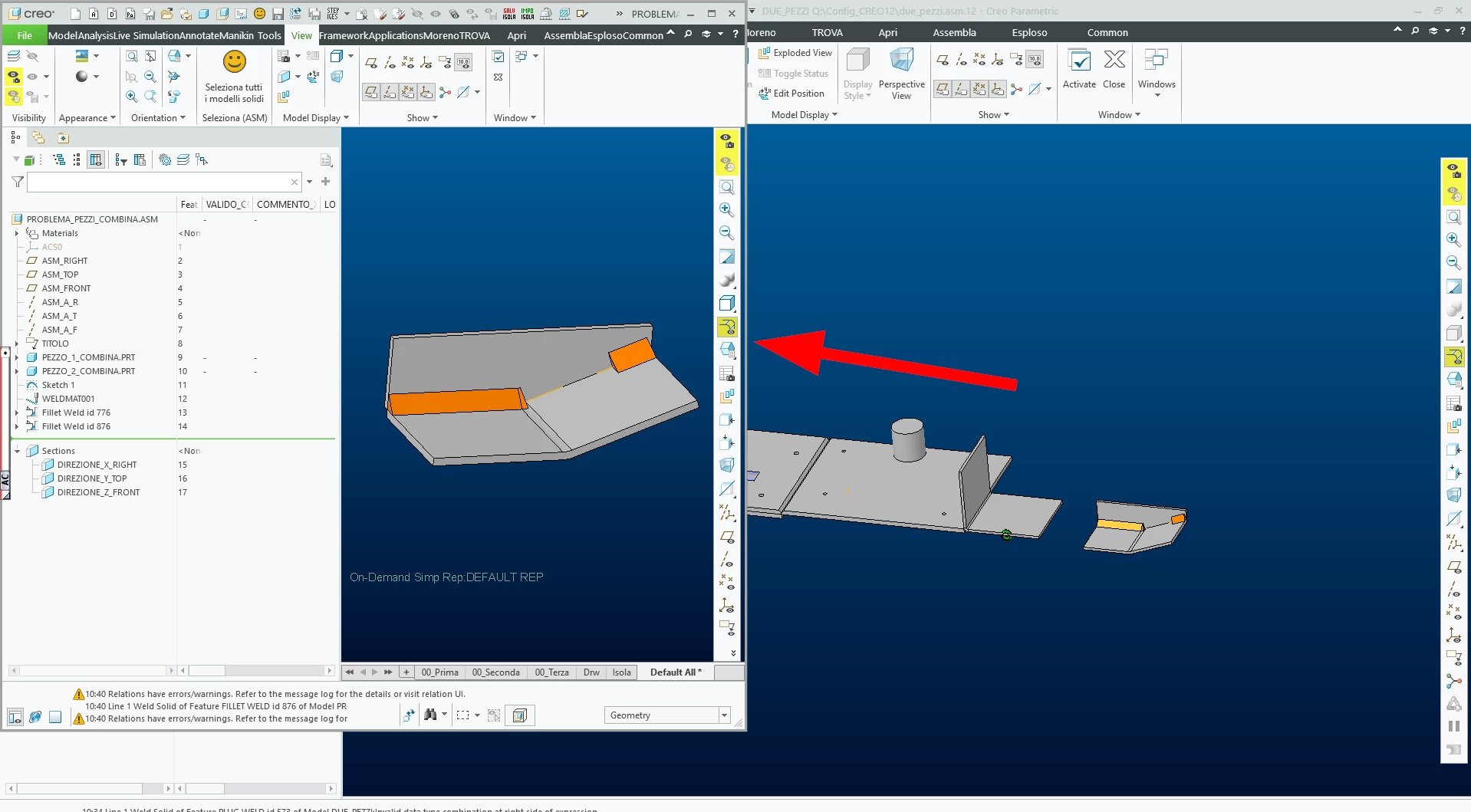

Is there a way to get the screenshot at the maximum screen size or a larger size?

Thanks!

P.S. I’m using Creo 12.4.3.0

4 replies

tbraxton
22-Sapphire II
22-Sapphire II
April 27, 2026

There is a config option to force that windows are opened at max size. The default value for this option is ‘yes’ . Verify this setting as a check. 

open_window_maximized  yes

bmancini15-MoonstoneAuthor
15-Moonstone
April 27, 2026

Thanks for your reply, tbraxton,
but I had already tried and checked that, I have “open_window_maximized yes”.
It seems that the option  “open_window_maximized yes” has no effect on the result of the command sequence View → Windows → Default Size.

tbraxton
22-Sapphire II
22-Sapphire II
April 27, 2026

This will also seem obvious, but I will ask, is the window in question activated (ctrl+A) in Creo prior to assigning the default size? I am testing this in Creo 10 where I activate the window and then select default size using the command sequence you provided. When I do this the active window is maximized to the default value). I have manually manipulated a window such that it is smaller than max and then by using default size it is maximized.

bmancini15-MoonstoneAuthor
15-Moonstone
April 28, 2026


Yes, the window is active before running the command View → Windows → Default Size.

Update on the issue: it appears that the problem is inside my file "creo_parametric_customization.ui".
I tried starting a new Creo using my config.pro and mapkeys.pro files, but excluding my creo_parametric_customization.ui file. Creo started successfully and created its own neutral/default creo_parametric_customization.ui file. In this situation, the command “View → Windows → Default Size” keeps the window maximized.

It is the same file I started using back in Creo 8. I think the time has come to be patient and recreate my creo_parametric_customization.ui file from scratch.

Thank you

tbraxton
22-Sapphire II
22-Sapphire II
April 28, 2026

You may be able to modify your existing .ui customizations by changing the window size option shown below.


bmancini15-MoonstoneAuthor
15-Moonstone
April 28, 2026

I did a few quick tests:

  1. I tried resetting the "Window Size" in my "creo_parametric_customization.ui" through "Manage UI Customization", but it did not solve the issue.
  2. I tried importing the settings from a neutral working "creo_parametric_customization.ui" into my own "creo_parametric_customization.ui", but that did not solve it either.
  3. I tried importing some settings from my faulty "creo_parametric_customization.ui" into a neutral "creo_parametric_customization.ui", and the problem was solved — the screen remains maximized.

Number 3 seems to be the right path. As soon as I have a bit more time, I’ll look into it further.

Thank you very much for your assistance. I was not aware of the "Manage UI Customization" feature.

tbraxton
22-Sapphire II
22-Sapphire II
April 28, 2026

This is one of those items where it probably should have a support call opened for it, especially since you have the .ui file that seems to be the cause. If you do open a call for this one, please post the PTC resolution if they provide one. Since the .ui files are not readable to humans it is frustrating when trying to debug what they actually are doing when applied to a session.