
Solved
How i unlock my Creo ProToolKit Plugin ?
I was testing my plugin on other system then creo shown this error. How to run Creo Parametric TOOLKIT applications with a Creo Parametric Session without unlocking during application development stage
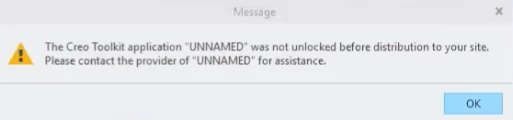

I was testing my plugin on other system then creo shown this error. How to run Creo Parametric TOOLKIT applications with a Creo Parametric Session without unlocking during application development stage
You can unlock your plug-in by issuing the command
protk_unlock.bat
which can be found in the bin folder of the PTC Creo installation, e.g. c:\ptc\Creo 6.0.5.0\Parametric\bin
If your plug-in is called
test.dll
you issue the command
protk_unlock.bat test.dll
No account yet? Create an account
Enter your E-mail address. We'll send you an e-mail with instructions to reset your password.