1-Visitor
June 16, 2022
Solved

How to add "Text Symbol" to dimension by TOOLKIT?

  • June 16, 2022
  • 1 reply
  • 1372 views

I am using Creo Parametric - Release 4.0 (connected) Release 4.0 and DatecodeM150

请问如何使用TOOLKIT给尺寸文本添加“文本符号”?


How to add "text symbol" to dimension text using TOOLKIT?


Translated with google translate by Iuliana Nuta, 16. june 2022
Best answer by remy

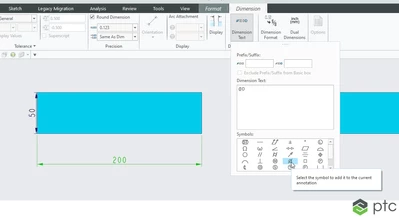
Hi your application needs to perform the following:

remy_0-1655374340945.png


that's to say Select an existing dimension then browse Dimension tab > and pick a symbol in the palette.


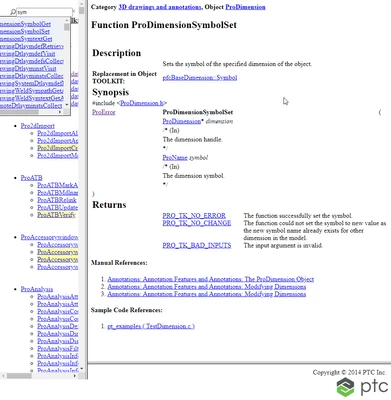
Once your application gets the dimension, here is the function to call to set a Symbol: ProDimensionSymbolSet() 

remy_0-1655376658156.png


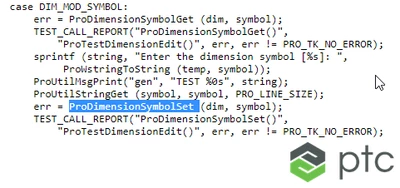
The page points to the shipped example: TestDimension.c:

remy_1-1655376737504.png


1 reply

remy21-Topaz IAnswer
21-Topaz I
June 16, 2022

Hi your application needs to perform the following:

remy_0-1655374340945.png


that's to say Select an existing dimension then browse Dimension tab > and pick a symbol in the palette.


Once your application gets the dimension, here is the function to call to set a Symbol: ProDimensionSymbolSet() 

remy_0-1655376658156.png


The page points to the shipped example: TestDimension.c:

remy_1-1655376737504.png