

How to create electrodes from surfaces
This short guide explains how to create electrodes with surfaces in SMARTElectrode:
| # | Description | Selection | Result |
| 1. |
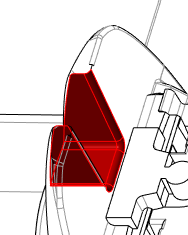
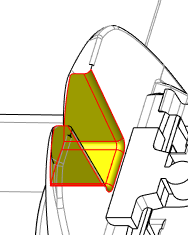
"Add" new electrode Select burn-faces and press Strg+c and Strg+v or press "CopyGeometry". |
 |
 |
| 2. |
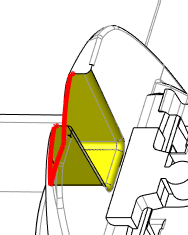
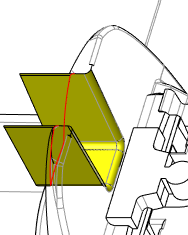
Activate filter for boundary edges Select start and end of chain Convert to "Edge-Chain" in context menu Use "Extend in Direction" from context menu and choose direction |
 |
 |
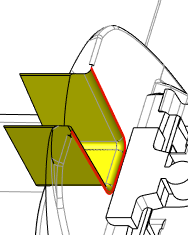
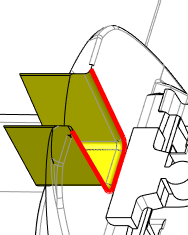
| 3. |
Select curve chain Use "Extend" from context menu Choose method tangent and set distance to extend Apply changes |
 |
 |
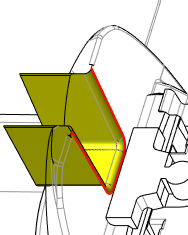
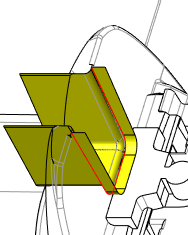
| 4. |
Activate filter for boundary edges Select start and end of chain Convert to "Edge-Chain" in context menu Use "Extend in Direction" from context menu and choose direction |
 |
 |
| 5. |
Activate filter for quilts and select quilt Use "Attach" to connect with FREE_FACE and to create a solid "Attach and add support" is also accessible for quilts
|
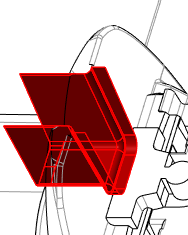 |
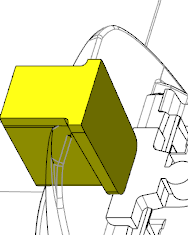 |
| 6. | Use "Mirror" and select surface to mirror solid | 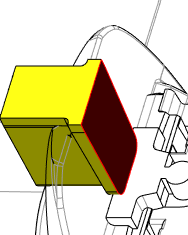 |
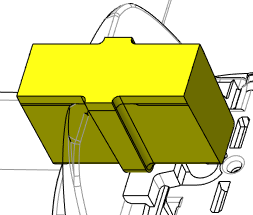 |
| 7. |
Add "Base" |
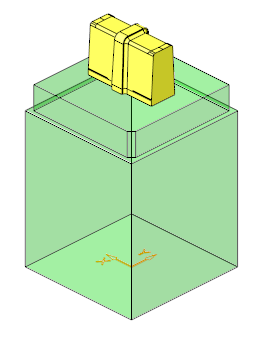 |
This thread is inactive and closed by the PTC Community Management Team. If you would like to provide a reply and re-open this thread, please notify the moderator and reference the thread. You may also use "Start a topic" button to ask a new question. Please be sure to include what version of the PTC product you are using so another community member knowledgeable about your version may be able to assist.