

Solved
How to delete existing notes from drawing (Creo 3 Toolkit)
I am updating an old application that contains Pro/Develop functions to work with Creo. There a few Pro/Develop functions I cannot find Toolkit equivalents for.
- prodrw_get_first_note_id
- prodrw_get_next_note_id
- prodtl_delete
These functions are being used to loop through all of the notes on a drawing to delete them by their ID.
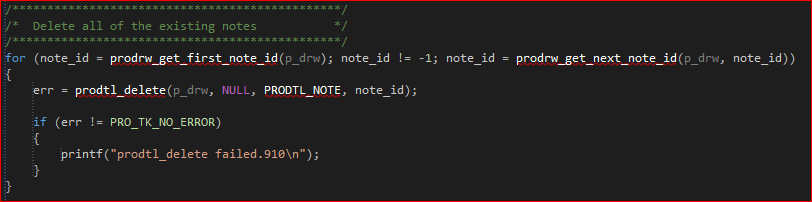
Where p_drw is the current drawing (ProMdl).
Does anyone have any suggestions to update these functions or use a better way to delete the notes?
Thanks,
Corey
This thread is inactive and closed by the PTC Community Management Team. If you would like to provide a reply and re-open this thread, please notify the moderator and reference the thread. You may also use "Start a topic" button to ask a new question. Please be sure to include what version of the PTC product you are using so another community member knowledgeable about your version may be able to assist.