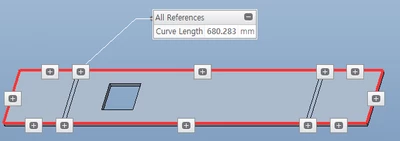
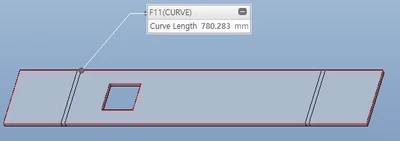
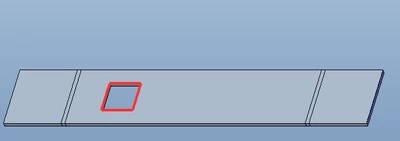
From the first solid feature get one edge green/white. If you feed this into this function this should not include a contour from a cut feature.
extern ProError ProSmtedgeContourGet(
 ProPart		smt_part,
 ProEdge		edge,
 ProEdge		**edges );

/*
 Purpose:	Outputs an array of edges that form the complete contour of
		the entire green (or white) surface that contains the
		specified edge.

 Input Arguments:
 smt_part		- The sheet metal part
 edge 		- The edge (on white or green surface) that is
			 contained in the contour sought.

 Output Arguments:
 edges		- Pointer to ProArray of edges. The edges are
			 ordered exactly as for a regular surface contour.
			 The array will be allocated and filled by
			 Creo Parametric. Free it by calling ProArrayFree()
			 when you no longer need it.

 Return Values:
 PRO_TK_NO_ERROR	 - The function sucessfully retrieved the information.
 PRO_TK_BAD_INPUTS	 - One or more of the input arguments are invalid.
 PRO_TK_BAD_CONTEXT - The model is not a sheet metal part, or the
			 specified edge is not on the green or white surface.
*/
Proof it 😉
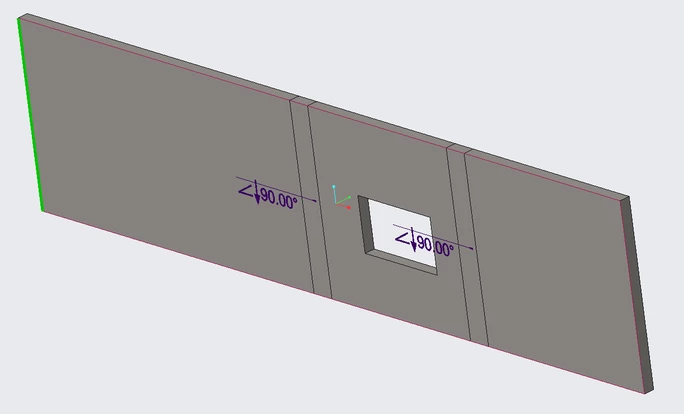
From a Tcl Console
- Create a Selection Object
- Select an edge
- Extract the model item
- Get the model item id
- Get the smt contour based on the selected edge id
%[1] ps_sel sel
sel
%[2] sel sel edge
1
%[3] sel modelitem mi
mi
%[4] mi cget -id
102
%[5] ps_visit smt_cont 102
102 405 235 423 274 273 272 421 229 403 108 49
Green Edge was selected
Red is the highlighted output of the returned edge ids!