
1-Visitor
January 25, 2022
Solved

How to show values and modify them like "ProUIInputPanel" in the ProUItree cell by tookit API?

  • January 25, 2022
  • 2 replies
  • 2030 views

I got a problem to using ProUItree in dialogue. Does any one have the solution ?

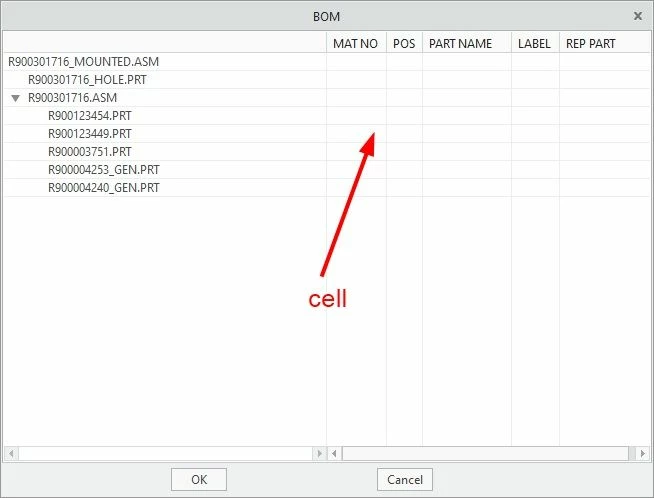
1. How to show values in the ProUItree columns cell by Protookit API when initialization?

2. When I click the column cell in the ProUItree , how to edit it like "ProUIInputPanel" by Protookit API?
 

Untitled.jpg

Best answer by YaroslavSin

Maybe, a funtion ProUITreeInputpanelAdd() will help you.

2 replies

17-Peridot
January 27, 2022

Maybe, a funtion ProUITreeInputpanelAdd() will help you.

GerryXu1-VisitorAuthor
1-Visitor
January 27, 2022

Thank you very much. It works now. 😀

err = ProUITreeInputpanelAdd(dialog, "TreeBOM", "ipText"); //********Create the "Inputpanel" in the Tree *****************
err = ProUIInputpanelValueSet(dialog, "ipText", L"Hello"); //********Set the string in the "Inputpanel"  *****************
err = ProUITreeNodeComponentSet(dialog, "TreeBOM", "1","ipText", "column1"); //********Show the "Inputpanel" in the cell of defined column*************


7-Bedrock
August 30, 2022
Hello.. GerryXu
I am a beginner Toolkit developer.
I try to make the same thing you make.
Can you share a program sample or source code with me?