
10-Marble
November 28, 2022
Question

How to use the TOOLKIT or Object TOOLKIT to scale model ?

  • November 28, 2022
  • 2 replies
  • 1644 views

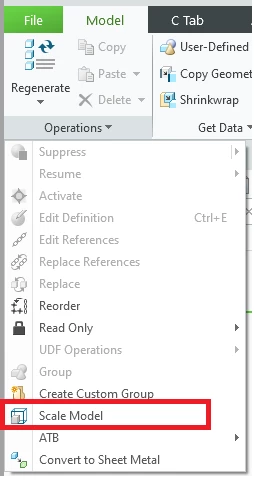
Without using "ProMarcoExecute" and "RunMarco" , how to use the TOOLKIT or Object TOOLKIT to scale model ?


I have been looking for the "Scale Model" function in the API Wizard, but unfortunately, I did not find it.


Why don't I want Marco's way to execute "Scale Model", because the TOOLKIT or Object TOOLKIT program will lose control of CREO after executing marco. Is there a way for the program to keep control of CREO?
 

S.png

2 replies

RPN
18-Opal
November 28, 2022

Try this, for a parametric model, get all dims, filter and skip angular dims, multiply the other ones, and regen the model.. This may still fail, e.g. you have some weird relations.


Another way is to use your own units, there are options, to control the final result. You may need to do this in 2 steps.

November 29, 2022

somewhat complicated alternative - make a new length unit with the intended scale factor (1/x) and use ProMdlPrincipalunitsystemSet(...) twice - from the original unit to a scaled unit and from the scaled unit to the original unit. On each call use a different value for ProUnitConvertType function argument. 

tbraxton
22-Sapphire II
22-Sapphire II
November 29, 2022

Pro/Mold design extension includes a shrink feature that may be useful in this context. IDK if the Toolkit API has a function call for it but if it does it may streamline things.


Be advised that is not a simple scaling operation, make sure you read and understand what a shrink feature does to the model as it is a feature and is dynamic unlike the scale model command.