
16-Pearl
August 13, 2025
Solved

JS API pfcUICommand.Designate

  • August 13, 2025
  • 2 replies
  • 3029 views

Hello, i've been tryign ot designate created command in PTC Creo JS API and didn't succed at all. 

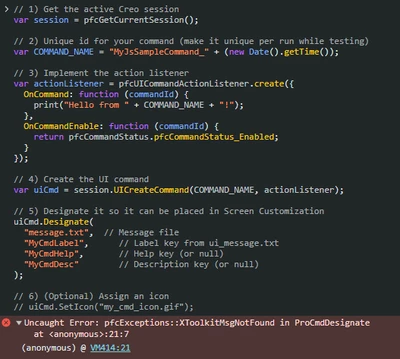
Creo API can't find message file. I've been also trying to create absolute path to message file but it didn't work too. 

Here is my code example:

// 1) Get the active Creo session
var session = pfcGetCurrentSession();

// 2) Unique id for your command (make it unique per run while testing)
var COMMAND_NAME = "MyJsSampleCommand_" + (new Date().getTime());

// 3) Implement the action listener
var actionListener = pfcUICommandActionListener.create({
 OnCommand: function (commandId) {
 print("Hello from " + COMMAND_NAME + "!");
 },
 OnCommandEnable: function (commandId) {
 return pfcCommandStatus.pfcCommandStatus_Enabled;
 }
});

// 4) Create the UI command
var uiCmd = session.UICreateCommand(COMMAND_NAME, actionListener);

// 5) Designate it so it can be placed in Screen Customization
uiCmd.Designate(
 "message.txt", // Message file
 "MyCmdLabel", // Label key from ui_message.txt
 "MyCmdHelp", // Help key (or null)
 "MyCmdDesc" // Description key (or null)
);

// 6) (Optional) Assign an icon
// uiCmd.SetIcon("my_cmd_icon.gif");


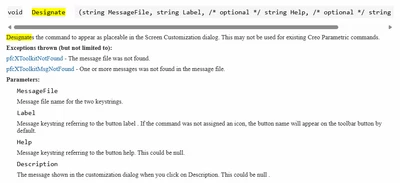
Screenshot from support.ptc.com no directory described:
ilyachaban_0-1755079505570.png


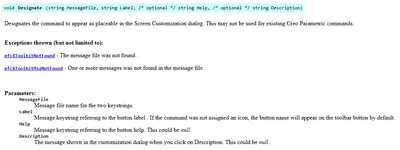
screenshot from pdf no directory described:
ilyachaban_1-1755079643301.png


There is also no format and description about how does this file has to look like. 

Here is how it looks like when i run it via DevTools
ilyachaban_0-1755079802508.png


Best answer by ilyachaban

Message file has to be placen not into %PRO_DIRECTORY%\text but  %PRO_DIRECTORY%\text\%YOUR_LANGUAGE%

In my case it was usascii

Whole path than looked like C:\Applic\Creo_11.0.3.0\Common_Files\text\usascii

also for icon not text file but text\resource

Whole path than looked like C:\Applic\Creo_11.0.3.0\Common_Files\text\resource

2 replies

18-Opal
August 13, 2025

Make sure you have properly setup your text folder, next see your message.txt file, this is referenced in your code. There are a couple of examples, but you have to deal with message id’s due to different language environments.

16-Pearl
August 14, 2025

Tell me please where is this text folder or how can i find it

18-Opal
August 14, 2025

Sorry, for me Java and JS are not the right tool, due to much code writing, so I can’t really help for JS.  I use Toolkit.


The doc is telling about a message file, and your code is using two of them. In toolkit you specify the text folder in the registry file protk.dat or creotk.dat. You need to check the PTC documentation for one example. I guess in JS it is similar, and you need to map your string token in the given message file.

ilyachaban16-PearlAuthorAnswer
16-Pearl
August 25, 2025

Message file has to be placen not into %PRO_DIRECTORY%\text but  %PRO_DIRECTORY%\text\%YOUR_LANGUAGE%

In my case it was usascii

Whole path than looked like C:\Applic\Creo_11.0.3.0\Common_Files\text\usascii

also for icon not text file but text\resource

Whole path than looked like C:\Applic\Creo_11.0.3.0\Common_Files\text\resource