1-Visitor
April 29, 2015
Solved

Macro

  • April 29, 2015
  • 1 reply
  • 3009 views

Hi!! I am making static simulations and doing a lot of analisis, I´m chaging the geometry and checking the displacement and mass of the edited part. Since I´m doing a lot of analisis, I wanted to know if there is a way in Creo to connect a programming Software like Matlab or Visual Studio to use a macro or programm that could Analyse and document the results from the analisis?

Thanks a lot.

Best regards,

Edna


This thread is inactive and closed by the PTC Community Management Team. If you would like to provide a reply and re-open this thread, please notify the moderator and reference the thread. You may also use "Start a topic" button to ask a new question. Please be sure to include what version of the PTC product you are using so another community member knowledgeable about your version may be able to assist.
Best answer by Chris3

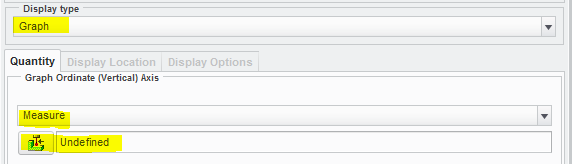
If it was just a single number then it will show up in the results dialog box along with max_stress_vm and all of the other default measurements. If it has multiple data points then you need to open it as a measure. Change the display type to Graph and the QTY to measure. Then it will show the result as a graph that you can export to Excel.

Capture.PNG

Capture.PNG

1 reply

Chris3
21-Topaz I
April 29, 2015

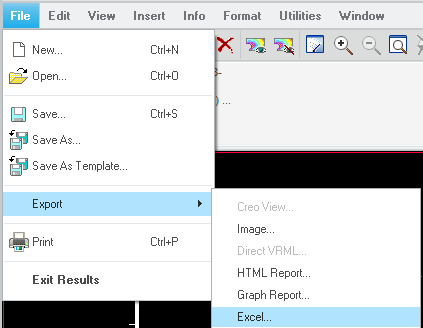
I am not sure what kind of results you are referring to, but a lot of the Creo Simulate results can be exported to a text file our a csv, xls for graphs. Depending on what you are trying to do, you could create a mapkey to automate exporting the results to a text file and then open it as desired in an external program.

1-Visitor
May 4, 2015

hi Christopher,

thanks a lot for your answer. That would be very helpfull, I would like to export this results to an xls. how could I do this?

1-Visitor
May 4, 2015

since when I select save as, the only type option that appears is .rwd