3-Newcomer
Oct 30, 2023 9:58 AM UTC
Solved

Material Description Syntax

We have created custom material as per our company standard, we tried to call this material description in drawing note. We have the syntax note &ptc_material_name to call the name. Is there any syntax to call description?

I also tried &PTC_ASSIGNED_MATERIAL:att_body but it gives result as PTC_MASTER_MATERIAL

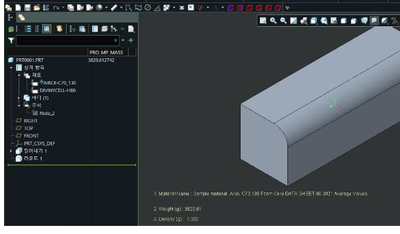
Kindly go through the attached image and let me know how to find the syntax code for this highlighted cell.

If I could able to find the syntax note for particular cell or column, it would be helpful for not only in materials but also in working on dimensions

Thanks in advance.


ckoAnswer
12-Amethyst
Jan 12, 2024 4:24 AM UTC

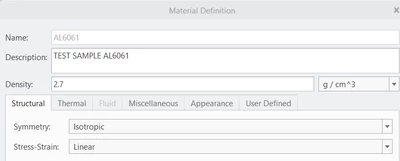
1. Enter in the DESCPRITION field of the material file.

cko_0-1705033121252.png

2.  Create custom parameters (ex : MATERIA_NAME)
3. Definition of relation
MATERIA_NAME  =material_param("PTC_MATERIAL_DESCRIPTION")

4. config.pro  
mass_property_calculate      automatic

5. Automatically changes the material name when you select a material file
- You must click the Regenerate button
- It is effective to use the MBD function in startup files.

cko_1-1705033421058.png

^_^


2 replies

RPN
18-Opal
Oct 30, 2023 7:45 PM UTC

Each parameter can be accessed via material param and specify the name in quotes

foo = material_param(„<Name_In_the_Matfile>“


like

material_param("NORM")


Translate
cko12-AmethystAnswer
12-Amethyst
Jan 12, 2024 4:24 AM UTC

1. Enter in the DESCPRITION field of the material file.

cko_0-1705033121252.png

2.  Create custom parameters (ex : MATERIA_NAME)
3. Definition of relation
MATERIA_NAME  =material_param("PTC_MATERIAL_DESCRIPTION")

4. config.pro  
mass_property_calculate      automatic

5. Automatically changes the material name when you select a material file
- You must click the Regenerate button
- It is effective to use the MBD function in startup files.

cko_1-1705033421058.png

^_^


Translate