

MS Excel 2016 connect to Creo 3.0 fail?
Hi All,
First here and I have a question about MS Excel 2016 connect to Creo 3.0 fail.
I use the same VBA Code,it can work in office PC(Excel 2007 =>Creo 3.0) but It can't work in my laptop (Excel 2016=>Creo 3.0)
Only a little different is MS Excel Version (2007<=>2016),I don't know what the problem is .
Can anyone give me some help?
------------------------------------
1) Setting .
1-1) PRO_COMM_MSG_EXE =>Done

1-2) vb_api_register.bat =>Done
1-3) Creo Parametric VB API Type Library for Creo Parametric =>Done
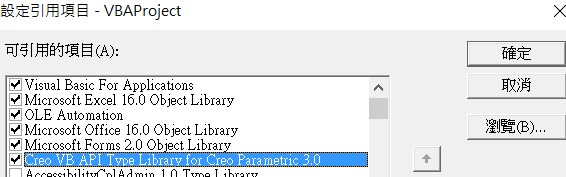
2) Here is the error message (code).
It shows cAC = Nothing .Why?
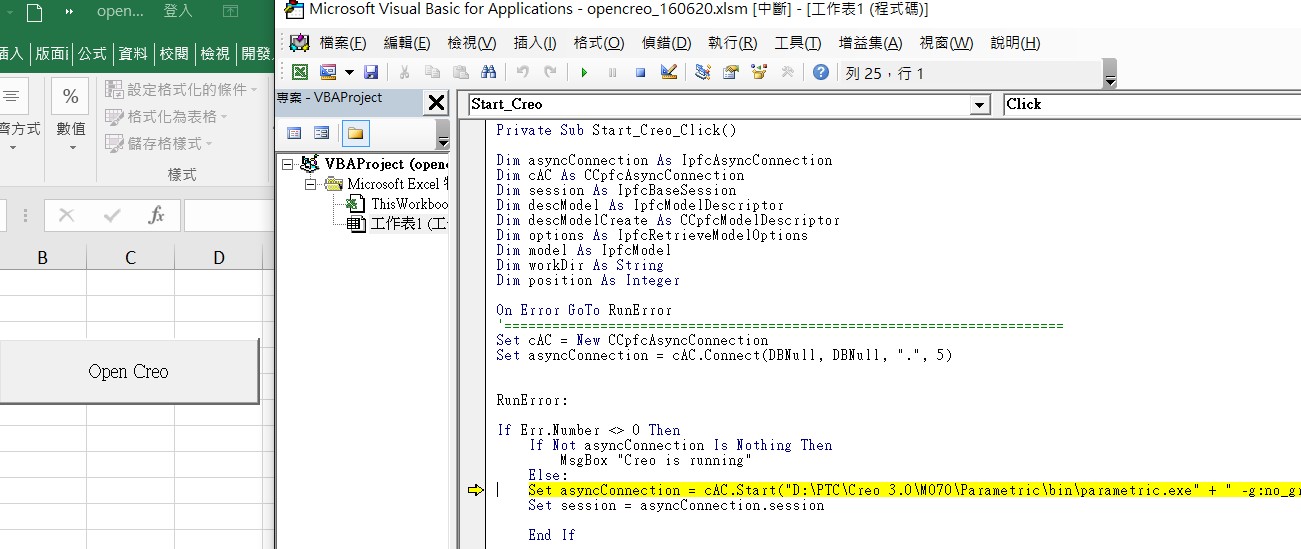
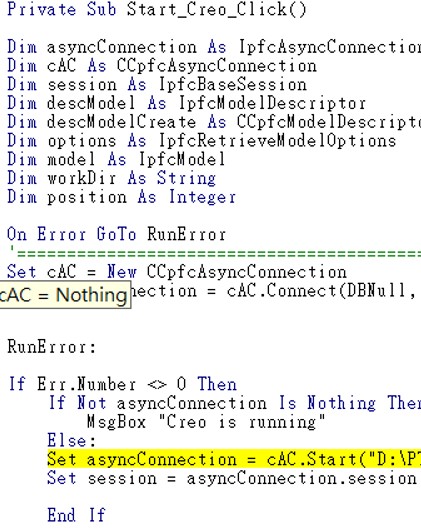
3) Here is my VBA Code.
===========================================
Private Sub Start_Creo_Click()
Dim asyncConnection As IpfcAsyncConnection
Dim cAC As CCpfcAsyncConnection
Dim session As IpfcBaseSession
Dim descModel As IpfcModelDescriptor
Dim descModelCreate As CCpfcModelDescriptor
Dim options As IpfcRetrieveModelOptions
Dim model As IpfcModel
Dim workDir As String
Dim position As Integer
On Error GoTo RunError
'======================================================================
Set cAC = New CCpfcAsyncConnection
Set asyncConnection = cAC.Connect(DBNull, DBNull, ".", 5)
RunError:
If Err.Number <> 0 Then
If Not asyncConnection Is Nothing Then
MsgBox "Creo is running"
Else:
Set asyncConnection = cAC.Start("D:\PTC\Creo 3.0\M070\Parametric\bin\parametric.exe" + " -g:no_graphics -i:rpc_input", ".")
Set session = asyncConnection.session
End If
End If
End Sub
===========================================
This thread is inactive and closed by the PTC Community Management Team. If you would like to provide a reply and re-open this thread, please notify the moderator and reference the thread. You may also use "Start a topic" button to ask a new question. Please be sure to include what version of the PTC product you are using so another community member knowledgeable about your version may be able to assist.