

Question
Pro/toolkit help
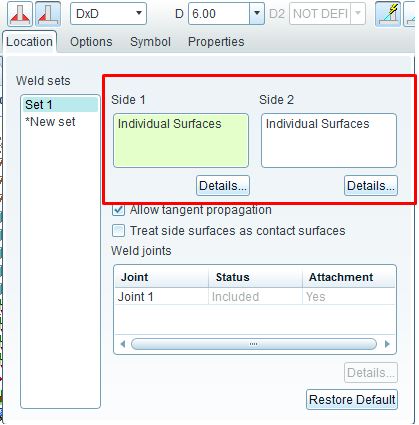
I have an application that is seeking two surfaces contained in a weld feature. I'm using the Pro/toolkit COMM api. I can see the two surfaces used to define the weld feature inside of ProE (see image below).
The best I can seem to do is a ListParents (CpfcFeatures componentList = feature.ListParents();) on the weld feature which returns the two components (two flat plates) from the assembly, but this doesn't help me find the surfaces.
Any Pro/Toolkit experts out there will to lend me assistance? It is much appreciated.
This thread is inactive and closed by the PTC Community Management Team. If you would like to provide a reply and re-open this thread, please notify the moderator and reference the thread. You may also use "Start a topic" button to ask a new question. Please be sure to include what version of the PTC product you are using so another community member knowledgeable about your version may be able to assist.