

Solved
Re-Activate Ribbon menu function
Good morning everyone,
I'm using Creo 10 and from the "Tools" ribbon menu I start my c# application.
We can do everything but in the "Model" menu a lot of function are disabled especially "Parameters". I don't understand why this happen when we start our application and from that application we are able to delete all the custom "Parameters".
When we close our app I thought the menu will be active again but this doesn't happen and if I do a right click in the assembly I have the icon for "Activate" it.
I tried these option:
But nothing is working. I have to close the file and open it again to check the "Parameters".
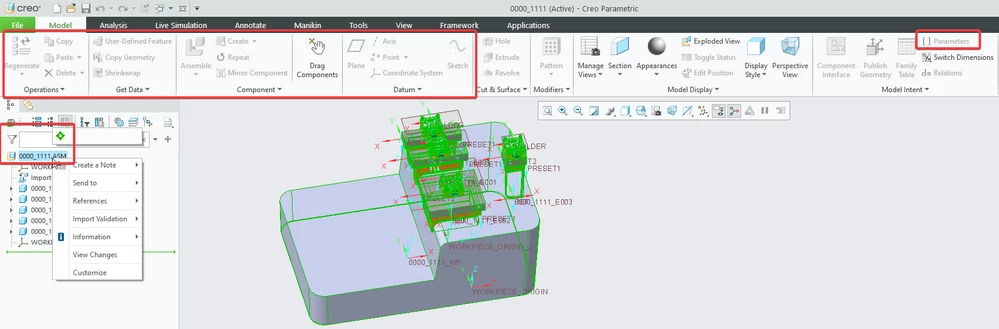
How can enable, with ProToolkit API, the menu during Close function of my application?
Thanks a lot,
Nicola
