Silent install for Ghostscript?
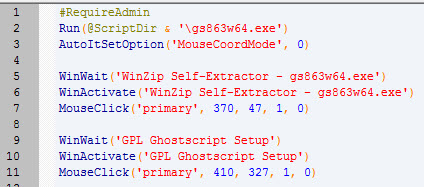
I'm trying to create a silent installer for ghostscript. I have gs863w64.exe. I unzipped it so I now have the setupgs.exe. (I wasn't able to uzip the latest version)
It is supposed to work like this:
setupgs.exe "c:\program files\gs"
I get this error:
Source Directory=c:\ptc\gs
Target Directory=c:\program files\gs
Target Shell Folder=Ghostscript
All users
Installing Program...
Copying files listed in filelist.txt
Creating temporary file c:\users\windows7\appdata\local\temp\gsa01816
c:\program files\gs\gs8.63\bin\gsdll32.dll
Failed to copy file c:\ptc\gs\gs8.63\bin\gsdll32.dll to c:\program files\gs\gs8.63\bin\gsdll32.dll
Program install failed
If I run gs863w64.exe and press the install button it installs
Obviously the self extracting installer is doing something that the command line isn't doing.
This thread is inactive and closed by the PTC Community Management Team. If you would like to provide a reply and re-open this thread, please notify the moderator and reference the thread. You may also use "Start a topic" button to ask a new question. Please be sure to include what version of the PTC product you are using so another community member knowledgeable about your version may be able to assist.