
5-Regular Member
August 16, 2024
Solved

Struggling to unbend sheetmetal through TOOLKIT (Parametric 11.0.1.0)

  • August 16, 2024
  • 1 reply
  • 1434 views

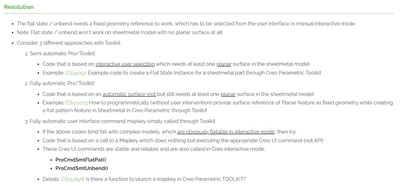
I'm reading the following article (https://www.ptc.com/en/support/article/CS420647):
 

RS_11013548_0-1723817016358.png


Trying to unbend sheetmetal through Creo's C++ TOOLKIT provided example (without user interaction) results in memory access exceptions no matter what I do.


Looking for alternative solutions, I've found the article above.


At the end, it says I could use the following functions

  • ProCmdSmtFlatPat()
  • ProCmdSmtUnbend()

Using Creo's interactive mode, but I can't find any reference for

this mode neither for the functions listed.


Where can I find these two functions?

Best answer by RPN

This 2 commands are mapkeys, as mentioned in the article. 

1 reply

RPN
RPN18-OpalAnswer
18-Opal
August 19, 2024

This 2 commands are mapkeys, as mentioned in the article. 

5-Regular Member
August 19, 2024

Well, that's unfortunate 😕

Apparently, we can not use mapkeys on TOOLKIT to press Ok buttons...
It wasn't able to fully unbend the sheet

RPN
18-Opal
August 19, 2024

You are right if you do this from scratch, but the unbend is a feature, most of the time the last one. You can just suppress or resume the feature.


But there is Toolkit Code, just check the first couple of features for a planar surface White/Green and provide this as an input.


With an asynchrones Toolkit App, the Mapkey could be an option.