16-Pearl
December 9, 2019
Solved

Vb API selection

  • December 9, 2019
  • 1 reply
  • 6844 views

Hello,


I'm trying to make a selection, using the example in instalation folder. I'm connected with the running session in CREO, but I'm unable to make the selection.

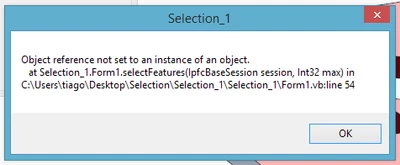
There is an messagebox appearing the follwing message.


T_F_0-1575884251214.png

Any help?

Best answer by YaroslavSin

What about the parameter? Does it exist in the model?


In your code you get a parameter DESCRICAO_PAR, read the value of this parameter. Then write this value back to parameter. If the model don't have this parameter, then you will get an error.


Dim paramOwner As IpfcParameterOwner
Set paramOwner = session.CurrentModel

Dim parameter As IpfcParameter
Set parameter = paramOwner.GetParam("DESCRICAO_PAR")

Dim modelItem As CMpfcModelItem
Set modelItem = New CMpfcModelItem

Dim paramValue As IpfcParamValue
Set paramValue = modelItem.CreateStringParamValue("TEST")

parameter.SetScaledValue paramValue, Nothing

 

1 reply

17-Peridot
December 11, 2019

Hello,

show a piece of your code from Form1.vb near line 54

T_F16-PearlAuthor
16-Pearl
December 11, 2019

I've found the problem.


The code at the moment like this:


selopt = (New CCpfcSelectionOptions).Create("part")


selopt.MaxNumSels = 1

sel = session.Select(selopt, Nothing)


pobj = sel.Item(0).SelModel


At the moment is working. Now I'me strugling with parameters. I'm trying to fill a string parameter in CREO, by VB. And I can't do it... I've the way to do for a real number parameter, but not that easy to a string parameter.

17-Peridot
December 11, 2019

Something like this

Dim pv As IpfcParamValue
Dim p As IpfcParameter
Dim s As String

pv = (New CMpfcModelItem).CreateStringParamValue(s))
p = pOwner.GetParam("PARAM_NAME")
If p Is Nothing Then
 pOwner.CreateParam("PARAM_NAME", pv)
Else 
 CType(p, IpfcBaseParameter).Value = pv
End If

Take a look at ...\Common Files\vbapi\vbapi_examples\pfcDimensionAndParameterExamples.vb