12-Amethyst
September 28, 2012
Question

EMX Tech Colors

  • September 28, 2012
  • 2 replies
  • 3041 views

Hi,


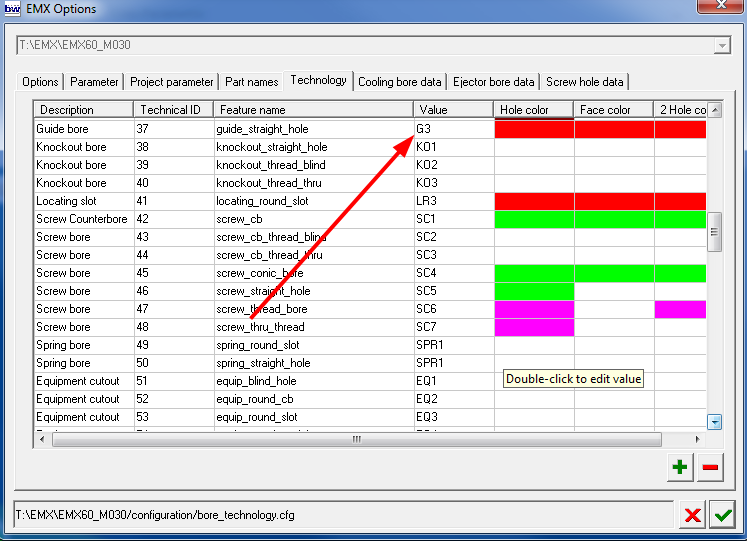
I have been configuring some of the Tech colors of EMX 6.0. The best way I found to do this was opening a part (like a plate, for example) and check the parameters of the udf´s on it:
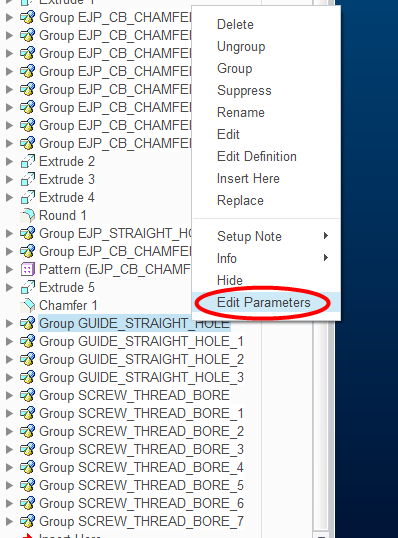
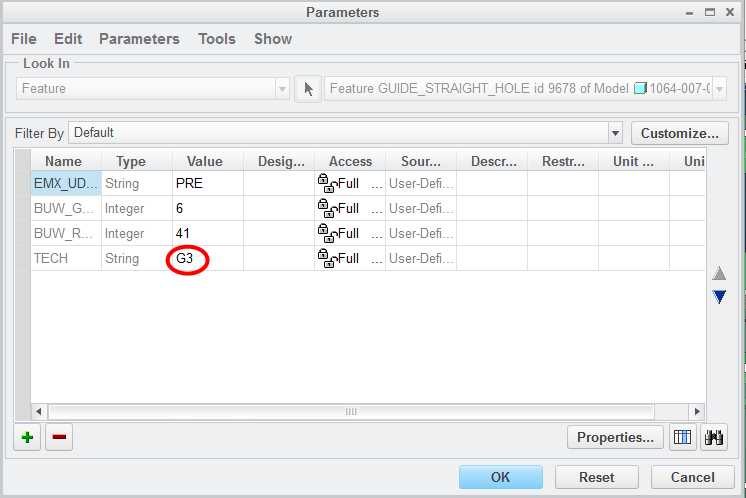
1.png 2.png

3.png


Now, I can´t configure some of them because the Tech parameter is missing, for example, the counterbore for ejector pins:
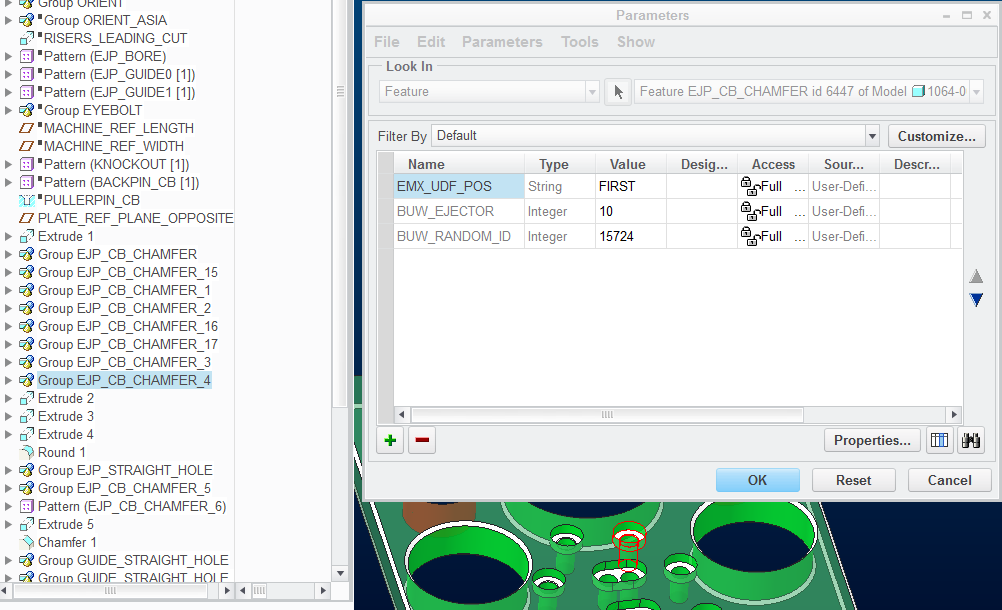
 

4.png


The consequence is that I have to change mannualy the color of each surface. Am I doing something wrong or this needs to be corrected?

2 replies

1-Visitor
September 28, 2012

Hi,

as I have added some more udf's for ejectorpins the last releases but not updated the according configuration file "bore_techology.cfg" please simply open this file with a regular notepad and add the missing entries for the new udfs. Each udf requires twi lines, I recommend you copy the highlighted lines for each missing udf. The Name in the first line ist not important, just make sure the red marked "udf-name" fits to the missing boretypes.

Then you can open the file with the EMX-Options dialog and define the colors as usual!

Image1.jpg

12-Amethyst
October 1, 2012

Hi,

I´ve done as you say and has worked perfectly.

Thanks for your help.

Jose

12-Amethyst
February 4, 2016