
1-Visitor
August 25, 2017
Solved

How to install Creo-Elements-Direct-Modeling v18.1 or v19 ?

  • August 25, 2017
  • 1 reply
  • 4799 views

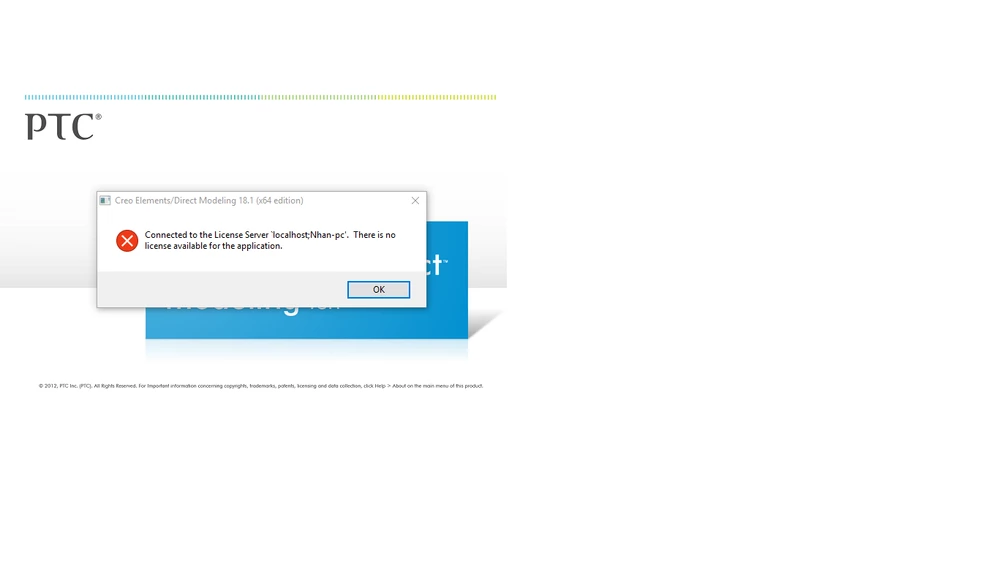
I am using this software then have this error .I have to restart my computer to use.

Help me to install .Have a file 'pdf' or 'video' to guide install ?

Thank you so much !^EFC787CFCCB3C1940F81BCDC8F337E35C36C989D590EBB2970^pimgpsh_fullsize_distr.png
Best answer by AndyPoulsen

You will need to have the license server software installed, and a valid license from PTC before the software will work.


So, two questions:

1) Do you have the license server installed and working?   

2) Do you have valid license(s) from PTC?


Installing the license server software should be quite easy. You will most likely need to install it as an administrator or it may not function correctly.   Once the license server is installed, add the licenses, and you should be ready to go.


1 reply

12-Amethyst
August 26, 2017

Hi,


The error message looks as though the Modeling software is installed correctly, but either you haven't installed the license server software or don't have a current license for the version of Modeling you're trying to run. 


Is the license server software installed and running correctly?

ttathanh1-VisitorAuthor
1-Visitor
October 10, 2017

Can you help me guide to install with all step.

Thanks you so much!!!

12-Amethyst
October 11, 2017

You will need to have the license server software installed, and a valid license from PTC before the software will work.


So, two questions:

1) Do you have the license server installed and working?   

2) Do you have valid license(s) from PTC?


Installing the license server software should be quite easy. You will most likely need to install it as an administrator or it may not function correctly.   Once the license server is installed, add the licenses, and you should be ready to go.
