11-Garnet
June 24, 2024
Question

how to open dwg file in Creo

  • June 24, 2024
  • 2 replies
  • 1713 views

Hi everyone,

I have a question. I have attached a DWG file below. When I open it in AutoCAD, I can see the view and annotations. However, when I open it in Creo, the annotations and drawing view are not showing. Does anyone have a solution for this? What settings and configurations are needed to open a DWG file in Creo?


The DWG file is a 2013 version of AutoCAD.


this is in AutoCad
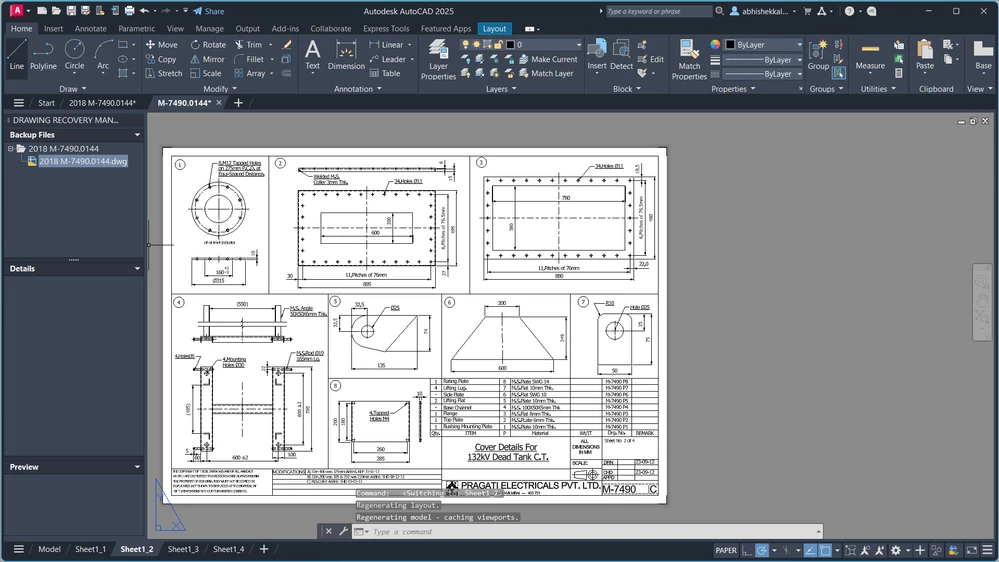
AK_10948685_0-1719229378849.png

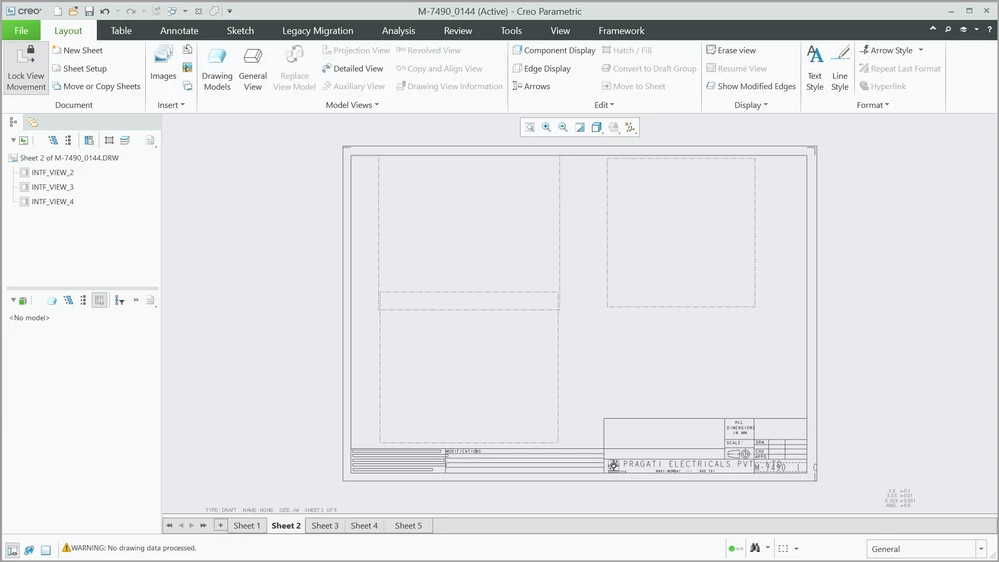
and this is in Creo

AK_10948685_1-1719229395425.png


2 replies

24-Ruby III
June 25, 2024

Please specify which version of Creo you are using.

23-Emerald III
June 25, 2024

I was able to open the drawing sheets in Creo Parametric 9.

They did not have the model, just the views and dimensions.

Opening the Model Space in the DWG file, I got nothing as a drawing or part.


What are you trying to do with the file when it is moved to Creo? Using IGES or even DXF maybe a better option if you only want the drawing sheets.

15-Moonstone
November 8, 2024

I concur using DXF is always worth a try as it can often give a better result.