


Question
PhantomOpque and Hidden lines are the same in the exported PDF - Creo 10
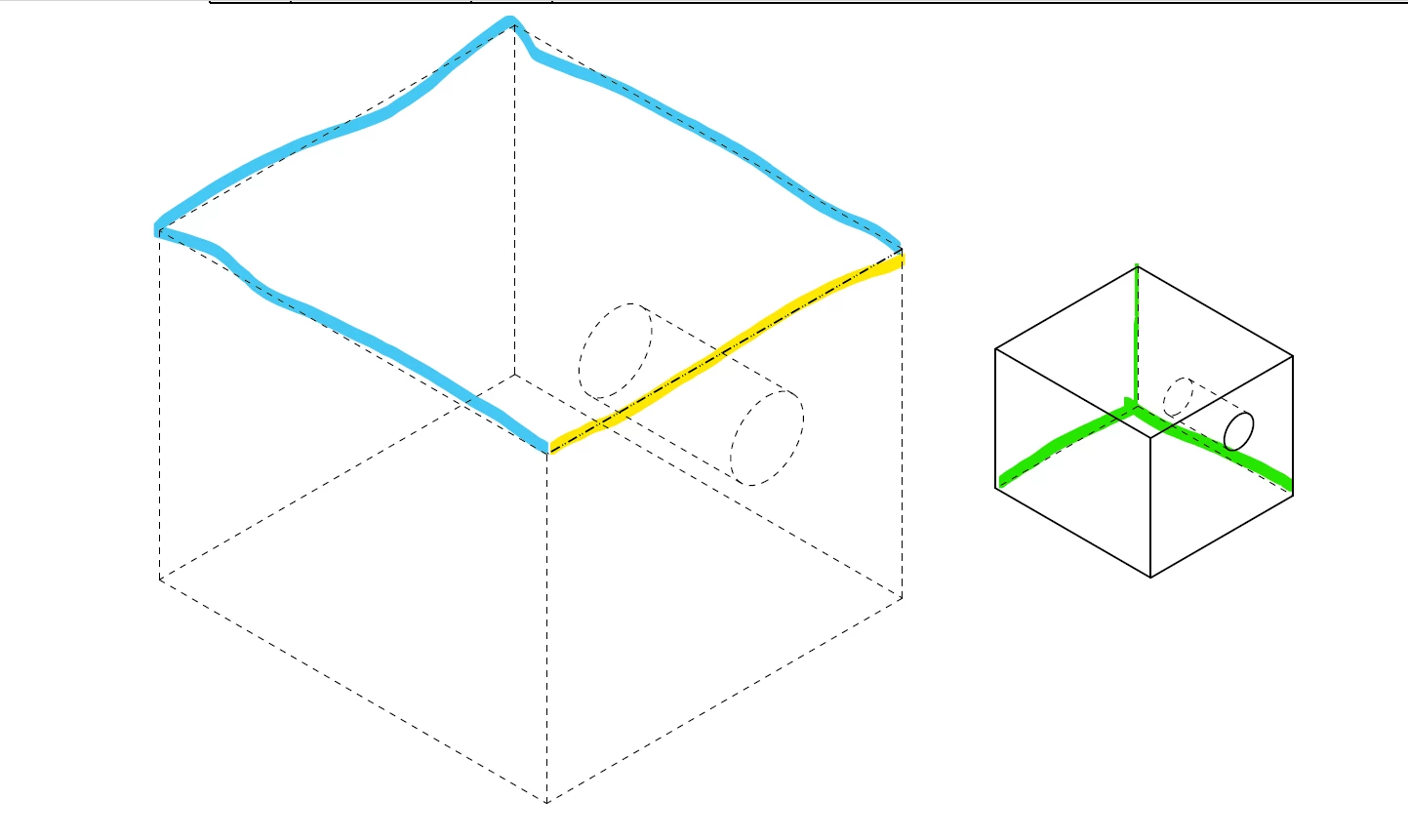
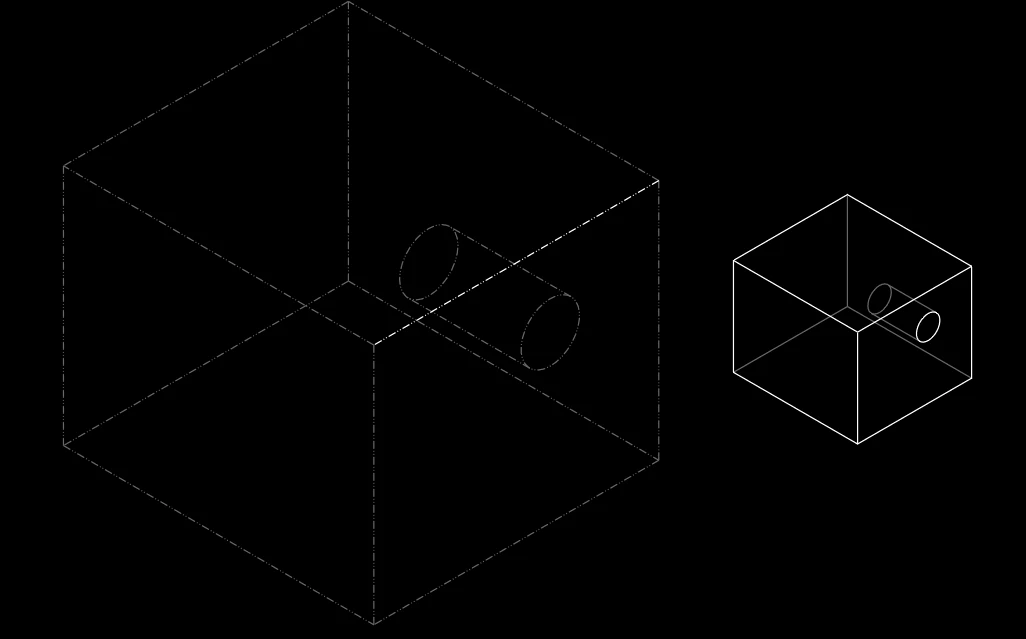
When I export a PDF, the phantom and hidden lines appear to be the same, but in the Creo drawing, it’s clearly different. The only way I found that will reflect the phantom line geometry is what I did with the line highlighted in yellow. I described how I did it below.
Does anyone know how to fix this? I want to use the component display to make the lines phantomopque, and have it reflected when I export a PDF.
Yellow - I went to display<Line Style<Modify Lines<PHANTOMFONT
Blue - I went to Component Display<PhantomOpque
Green - Hidden Line
Thank you to anyone who can help.