

After completing the Manufacturing Apps install, I am unable to access the ThingWorx Composer.
Follow these steps to restart the ThingWorx Server, then to verify that all install services are running:
1. Open the ThingWorx Server Properties configuration application. To locate this application in Windows Server edition operating systems, search for "Configure PTC Servelet Engine"; or the application can be launched from the Windows Explorer. The default install directory is:
<ThingWorx install path>\ThingWorxManufacturingApps\PTC_Servlet_Engine\bin\thingworxServerw.exe
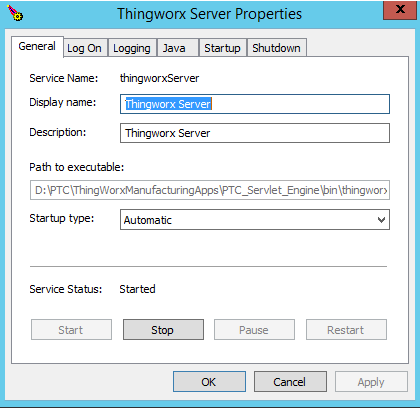
2. Use the controls in the General tab to Stop and then Start this service.
3. Now open the Windows Services console (services.msc) and verify these four services are installed and running:
a. ThingWatcherResult
b. ThingWatcherTraining
c. Thingworx Server
d. ThingworxPostqresql_Service-PostgreSQL_Server9.4