

Create An Authentication Extension Part 3
- 0 replies
- 762 views
- Translate All
Step 7: Import Extension
- In the ThingWorx Composer. in the bottom left, click Import/Export, then select Import.
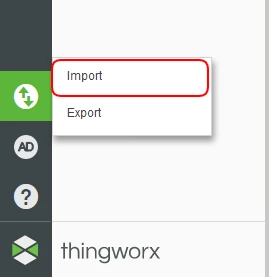
NOTE: The build produces a zip file in AuthenticatorExample->build->distributions folder. This zip file will be required for importing the extension.
2. For the Import Option field, select Extension.
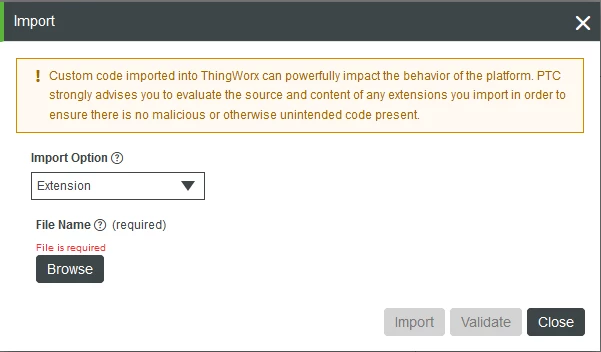
3. Click Browse and choose the zip file in the distributions folder (located in the Eclipse Project's build directory).
4. Click Import to finalize the import.
Navigate to New Authenticator
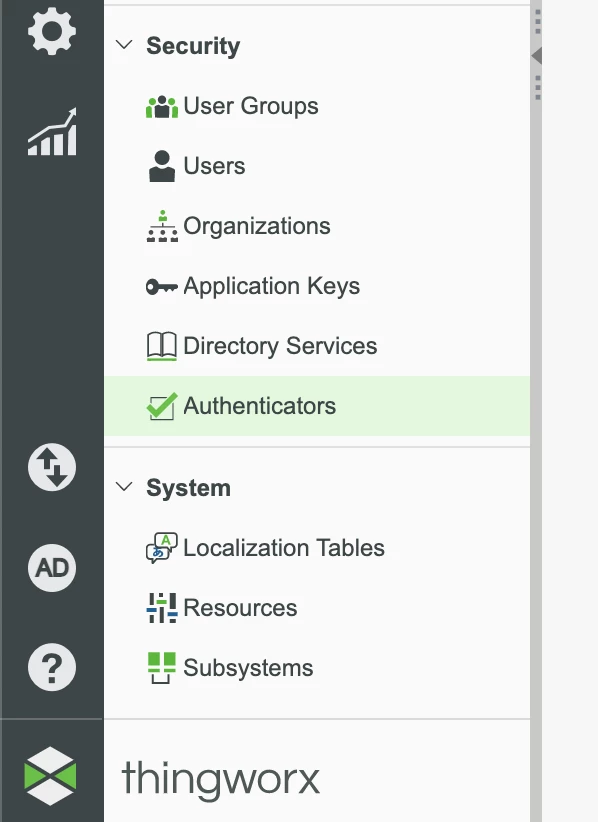
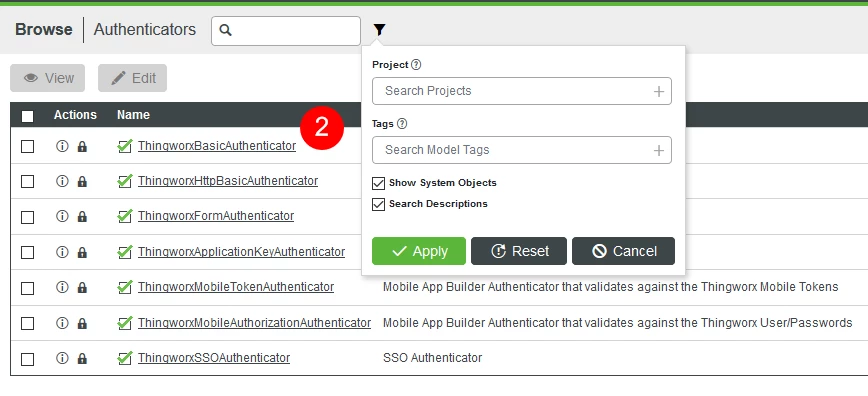
- Navigate to and select Security > Authenticators.
2. You will now see your CustomizedAuthenticator Authenticator as a option to view/edit.
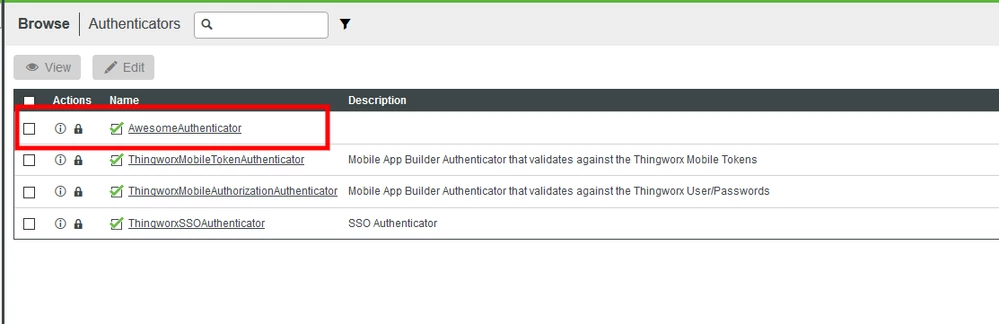
3. Click Edit or View to see this new Authenticator. You wil notice the priority is 1.
Troubleshooting
If your import did not get through with the two green checks, you may want to modify your metadata.xml or java code to fix it depending on the error shown in the logs.
| Issue | Solution |
| JAR Conflict arises between two similar jars | JAR conflicts arise when a similar jar is already present in the Composer database. Try to remove the respective jar resources from the metadata.xml. Add these jars explicitly in twx-lib folder in the project folder inside the workspace directory. Now, build the project and import the extension in ThingWorx Composer once again. |
| JAR is missing | Add the respective jar resource in metadata.xml using the ThingWorx->New Jar Resource. Now, build the project and import the extension in ThingWorx Composer once again. |
| Minimum Thingworx Version [ 7.2.1] requirements are not met because current version is: 7.1.3 | The version of SDK you have used to build your extension is higher than the version of the ThingWorx Composer you are testing against. You can manually edit the configfiles->metadata.xml file to change the Minimum ThingWorx version to your ThingWorx Composer version. |
Step 8: Integrating Custom Authentication
Integration can be handled in different methods based on your security needs and architecture. The Authenticator we created works with the demo site we provided in the download.
Create ThingWorx User
Let's create the User that we will be processing login attempts.
In the ThingWorx Composer, click the + at the top left of the screen.
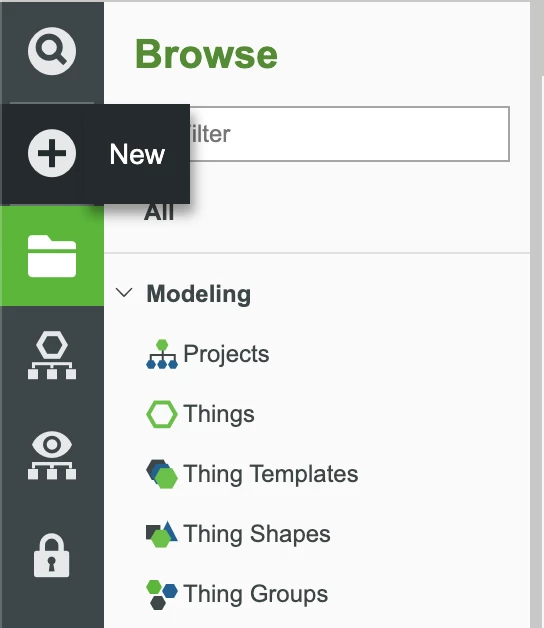
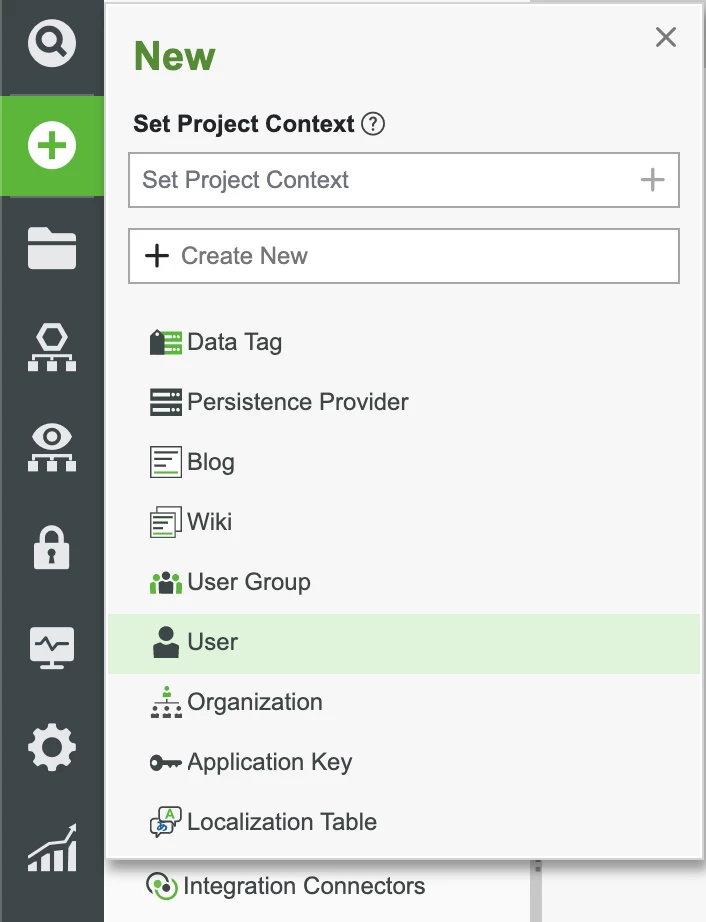
Select User in the dropdown.
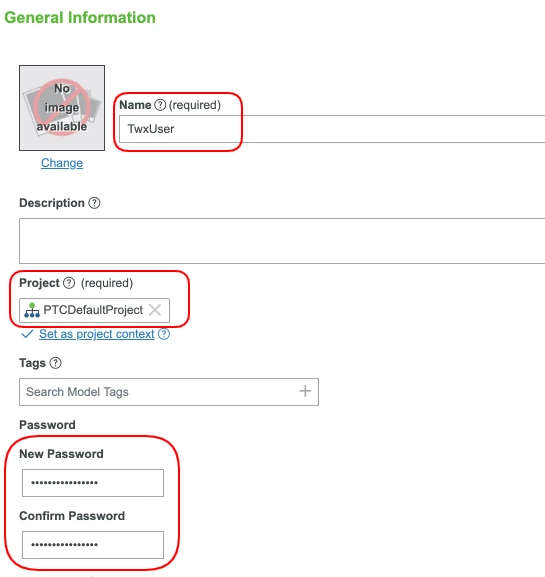
Set the Project (ie, PTCDefaultProject) and enter the Name for this new user as TwxUser.
Enter the Password for the new user to something easy to remember (ie, 2020Password2021).
- Click Save.
Create Logger
Create a helpful logger for authentication attempts.
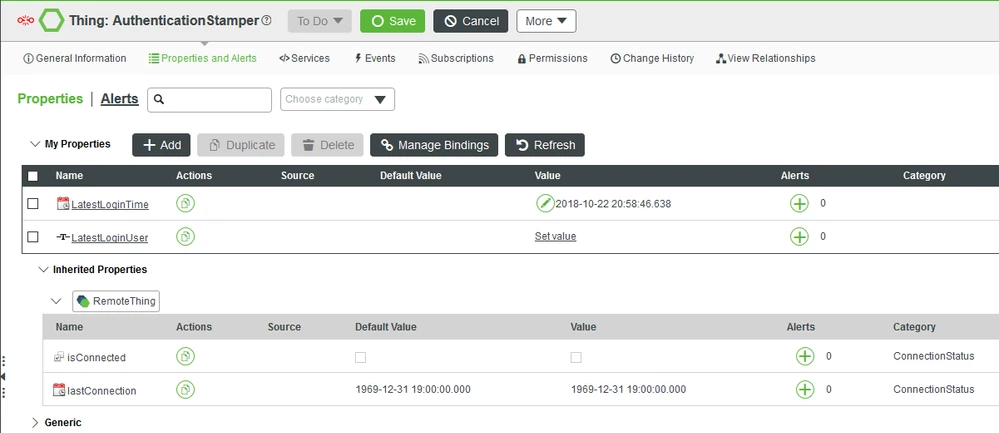
Create a Thing named AuthenticationStamper to go with the LoginHelper variable in the earlier Java source code. Ensure this new Thing inherits from the RemoteThing
Match the properties for the AuthenticationStamper with the two properties in the below image.
- Save the changes.
Create Login Helper
Create a stream for authentication attempts for helpful tracking.
Create a ValueStream named AuthenticationStream and Save the Entity.
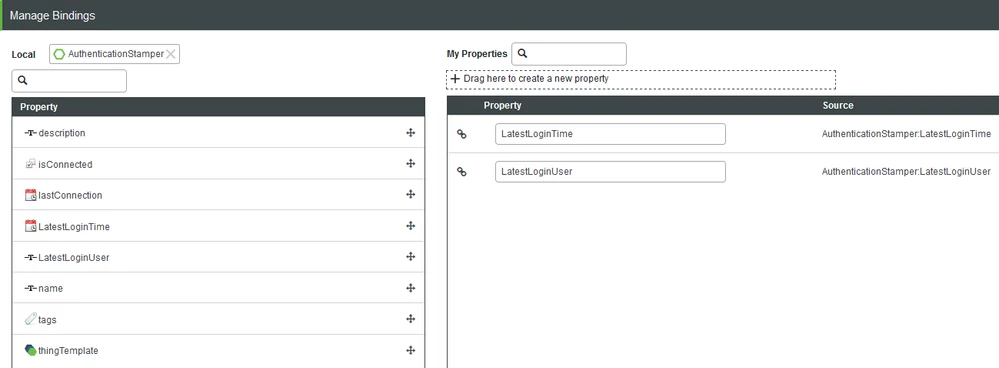
In the Properties and Alerts section of the ValueStream, click Manage Bindings.
Setup the binding to match the below configurations. Bind the properties to the AuthenticationStamper Thing.
- Save the changes made to the ValueStream.
Demo Page Login
With a browser, open the TestSite.html web page found in the Demo directory of the download. You should see a login page similar to that as the below image.
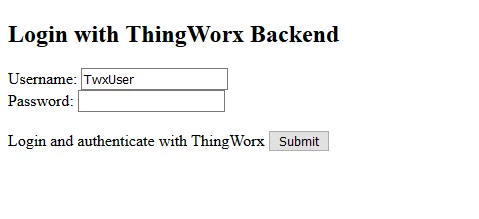
Enter the name of the user we created, TwxUser.
Enter the password for the user. We suggested setting this to Password2019.
- Click Submit. You will now be authenticated and logged in.
Step 9: Next Steps
Congratulations! You've successfully completed the Create An Authentication Extension tutorial, and learned how to:
- Install the Eclipse Plugin and Extension SDK
- Create and configure an Extension project
- Create Authentication Application
- Build and import an Extension
Learn More
We recommend the following resources to continue your learning experience:
| Capability | Guide |
| Build | Application Development Tips & Tricks |
Additional Resources
If you have questions, issues, or need additional information, refer to:
| Resource | Link |
| Community | Developer Community Forum |
| Support | Extension Development Guide |