

DataShape : Nuances, Tips & Tricks
DataShape
Simply put, it represents the data in your model giving your application an in-built sense on how to represent the data in different scenarios. DataShape is defined with set of field definitions and related metadata e.g. DataType. DataShapes are must have (except for ValueStream) when creating entities that deal with data storage i.e. DataTable & Stream. For more detail on DataShapes and the DataTypes see DataShapes in ThingWorx Help Center
Note: See ThingShape : Nuances, Tips & Tricks for ThingShape vs DataShape
Ways to create DataShape
Via the ThingWorx Composer
- Navigate to ThingWorx Composer click on New > DataShape
- Provide a unique name to the DataShape entity
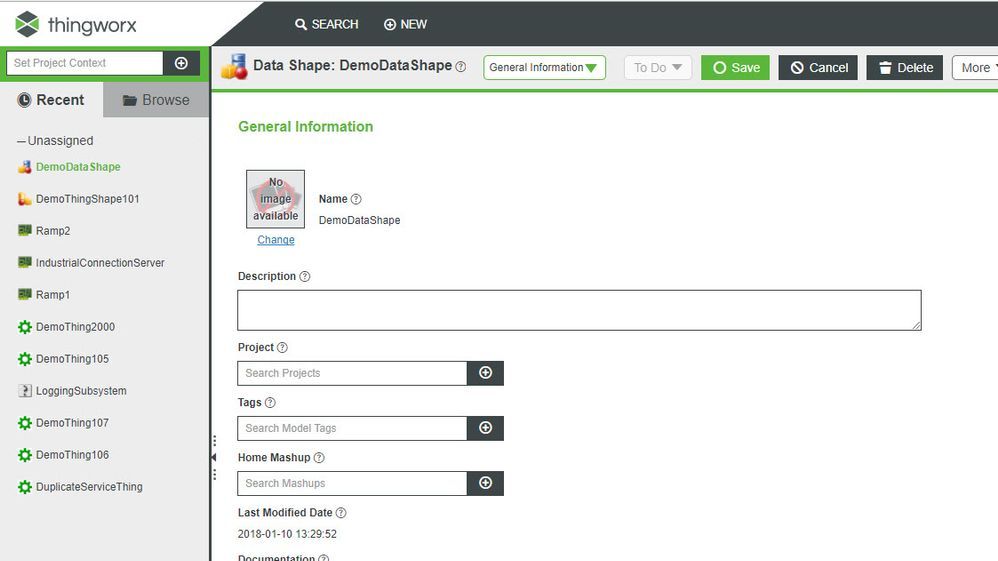 DataShape creation in ThingWorx Composer
- Navigate to the Field Definition and add required Field Definition
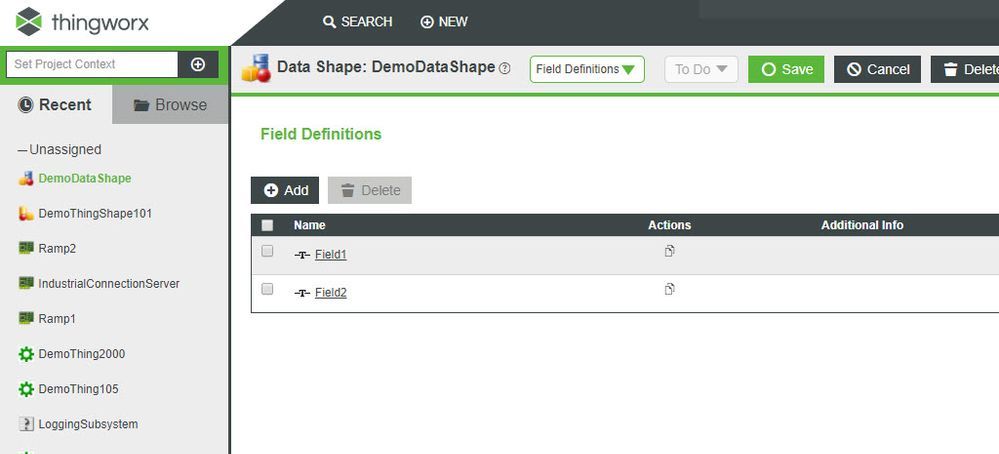 Defining Field for the DataShape
Via a custom service in ThingWorx
- Navigate to an entity under which the service is to be created, e.g. Thing
- Switch to Services section for the Thing and click Add to create new service
- OOTB available service CreateDataShape can be used from the Resources > EntityService
// snippet creating the infotable with the

var params = {
 infoTableName : "InfoTable",
 dataShapeName : "DemoDataShape"
};

// CreateInfoTableFromDataShape(infoTableName:STRING("InfoTable"), dataShapeName:STRING):INFOTABLE(DemoDataShape)
var result = Resources["InfoTableFunctions"].CreateInfoTableFromDataShape(params);


// snippet creating the DataShape using the Infotable queried above which returns the field and the metadata on those fields
// DSName used below is created as the

Resources["EntityServices"].CreateDataShape({
	name: DSName /* STRING */,
	description: "Custom created DataShape" /* STRING */,
	fields: result /* INFOTABLE */,
	tags: undefined /* TAGS */
});
Here's how it'd appear in the Service editor :
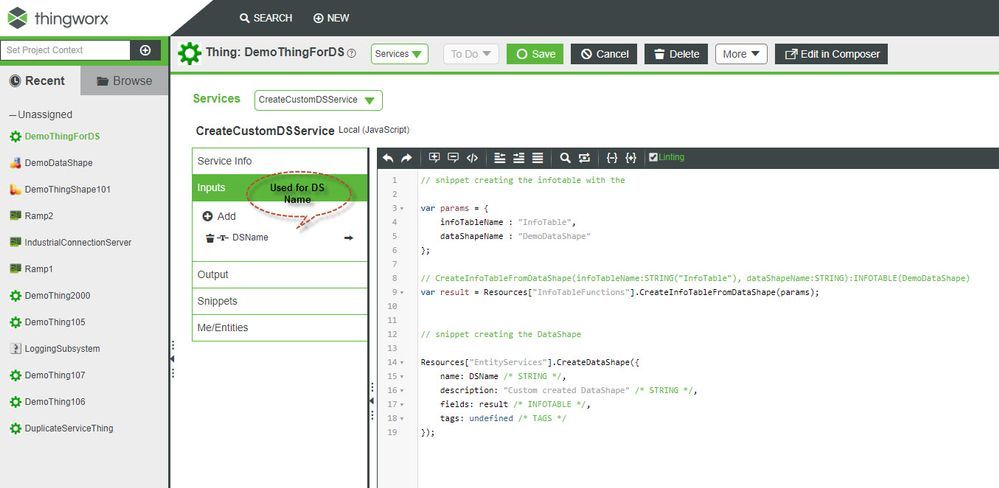 DataShape creation with JavaScript service in ThingWorx
Via the ThingWorx Extension SDK
Following example snippet shows the creation and usage of the DataShape while creating custom extension with the Extension SDK
@ThingworxConfigurationTableDefinitions(tables = {
		@ThingworxConfigurationTableDefinition(name = "ConfigTableExample1", description = "Example 1 config table", isMultiRow = false, dataShape = @ThingworxDataShapeDefinition(fields = {
				@ThingworxFieldDefinition(name = "field1", description = "", baseType = "STRING"),
				@ThingworxFieldDefinition(name = "field2", description = "", baseType = "NUMBER") })) })
Note: Refer to the ThingShape : Nuances, Tips & Tricks for Tips & Tricks
Other related reads