

How to use Event Routers
This might be a well-known topic for some, but I recently had a need that Event Routers fit into perfectly and wanted to share. If you have some neat applications for Event Routers on mashups, feel free to reply!
What?
Event Routers are a function on Mashups that let you connect multiple inputs to a single output. For my use case, this was extremely helpful to let me have two different Service Outputs go to the same Widget. They are a really simple tool that can save a lot of headache.
How?
Event Routers work by funneling the latest data through to a single output. This is particularly useful for user-activated actions with the output tied to a widget or another service. The Event Router automatically activates when any one of the Inputs changes.
Example
I have two services that generate HTML from different sources, but I want to display just the latest one that the user had activated in a single HTML Text Area widget. The two different services are activated with two different buttons. But how do I show these two outputs in a single widget? Create an Event Router with two HTML inputs!
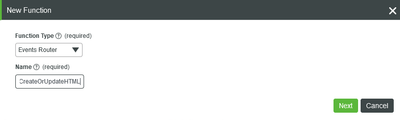
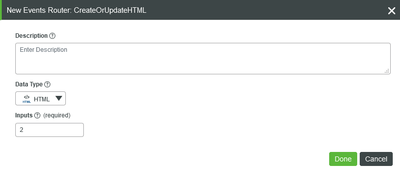
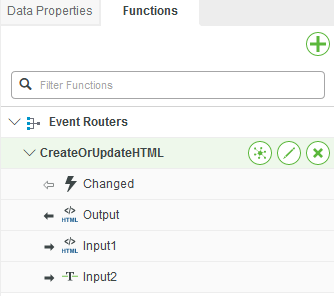
Now I just tie each service output to the Inputs and tie the Output to the HTML Text Area Text (note: the icon for Input2 is incorrect—it should be HTML as well; this system is running 8.5.1, perhaps it's an issue in that release).
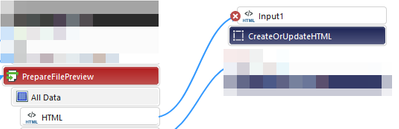
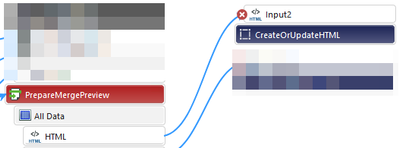

Now when the user clicks on either button, the correct service’s HTML is sent to the HTML Text Area. Ta-da!
P.S. I noticed in some older posts that Event Routers used to be a widget or extension that came and went. Now (8.5+) it is baked into the Functions on the far right side of Mashup Builder.