

Which KEPServerEX drivers or plug-ins should I install?
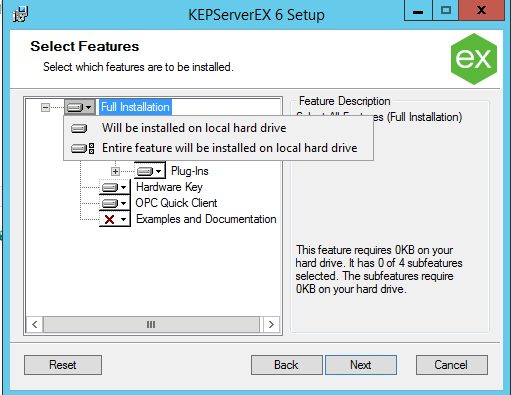
When installing KEPServerEX, you will be presented with a tree of features to install. Open the pull-down menu next to "Full install" and select "Entire feature will be installed on local hard drive." This will ensure all needed drivers and plug-ins are included.
When either a Client application has made a request of a Driver, or a Plug-in becomes activated, then a license check is performed. If a feature is not licensed, a two-hour demo countdown period will begin. For more information on this, see: KEPServerEX V6 Demo Timer