4-Participant
October 7, 2024
Solved

Kepware Filter

  • October 7, 2024
  • 1 reply
  • 2022 views

Hi Support, 

 I am trying to filter out tags during an import. Could you please provide some examples of how the leaf filtering works. I have tried different itereations and get the same results eavh time. 


Thanks

Best answer by aservetas

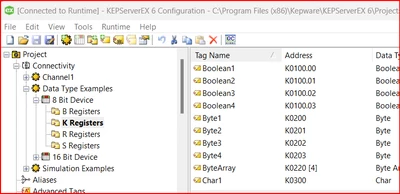
Using the Simdemo project installed by default, I added an OPC DA Client driver channel to look at tags that included the word 'Byte' as shown here:


aservetas_0-1731952597795.png

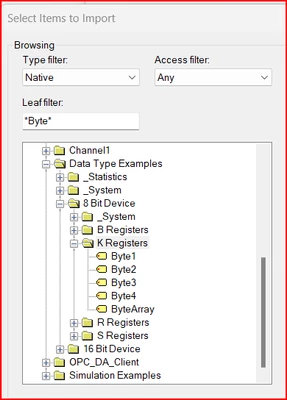
When browsing to add tags for import using the leaf filter, type in the filter you wish to apply first, then expand the node tree and it should only display tags that match the filter you have entered,


aservetas_1-1731952735351.png

-Andy

1 reply

24-Ruby III
October 8, 2024
15-Moonstone
October 8, 2024

Wildcards can be used before and after the text entered.  Also, the leaf filter is case sensitive.


-Andy

Andy Servetas
Principal Technical Support Engineer | Kepware Technologies

4-Participant
October 14, 2024

Hi Andy,

I tried the following filter, i still get all the results. 

VN_9969195_0-1728941412434.png

Can you tell me what im doing wrong?


Thanks