1-Visitor
November 10, 2025
Solved

NO WAY to read Siemens TP900 OpcUA server

  • November 10, 2025
  • 1 reply
  • 198 views
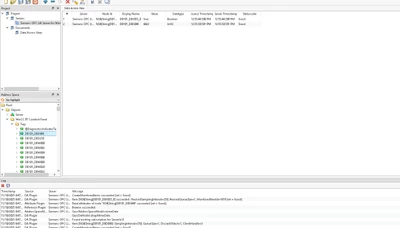
I have attempted to connect to the Siemens TP900 OPCUA server with kepserverEx and am unable to do so, but I have no issues with the Unified Automation UaExpert application:
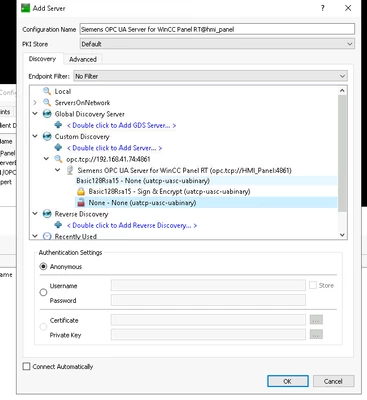
 
JF_12910141_0-1762774767467.png


JF_12910141_1-1762774767473.png


With keptserverEx, I follow these steps but am unable to succeed.
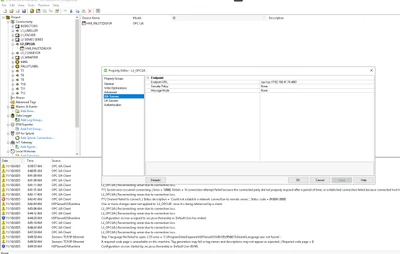
 
JF_12910141_2-1762774767482.png


As it was not functioning in the certificates, I used the one I had imported Unified for OPCUASERVER, but nothing happened. I restarted the runtime and the server, but it still does not work.
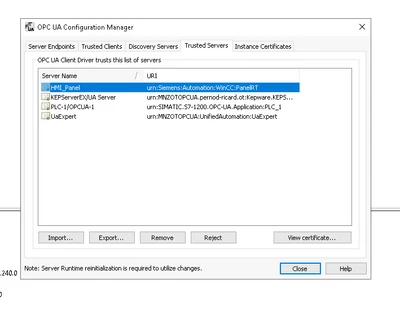
 
JF_12910141_3-1762774767486.png


Best answer by rajskumar

Hello,

An application protocol such as OPC UA provides specific services and relies on TCP to ensure reliable delivery. Therefore, I recommend checking TCP socket connectivity from the client PC first, using link as a prerequisite for validating the network connection.


After that, please verify the client-side configuration using link.


Note -If you are prompted to log in to view the complete article, you can use your MyKepware login credentials. Thanks 

1 reply

rajskumar16-PearlAnswer
16-Pearl
November 11, 2025

Hello,

An application protocol such as OPC UA provides specific services and relies on TCP to ensure reliable delivery. Therefore, I recommend checking TCP socket connectivity from the client PC first, using link as a prerequisite for validating the network connection.


After that, please verify the client-side configuration using link.


Note -If you are prompted to log in to view the complete article, you can use your MyKepware login credentials. Thanks