
1-Visitor
November 15, 2017
Solved

color of exterior surfaces for casting/machined casting

  • November 15, 2017
  • 1 reply
  • 2667 views

I would like to make all solid surfaces one color and the part another. This way when I use inheritance and make all the machined cuts there is a contrastin color automatically showing the machined features.

Is this possible?


I am coming from WF3 and have found using the new interface a bit of a chalange in regards to how the system selects surfaces. 


Thanks in advance,

Chris
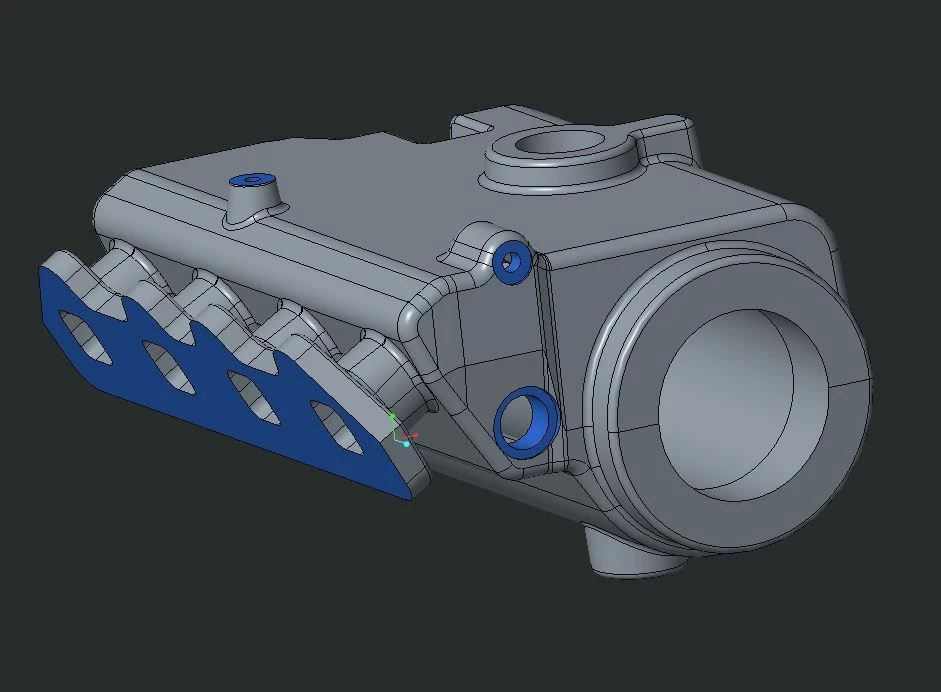
Best answer by cpoirier

Thanks, got it.

The new appearance tool is nice.... once you figure out how it works.

bingo.JPG


1 reply

23-Emerald III
November 15, 2017

Yes, I do this all the time.

1. set the part color (whole part) to the color you want for your machined surfaces.

2. select all solid geometry surfaces (to do this, select one surface, then right click and use the select solid surfaces (looks like a white cube with no text)

3. add the unmachined color to the solid surfaces.


When you create features that remove material, the exposed material is a different color.


cpoirier1-VisitorAuthorAnswer
1-Visitor
November 15, 2017

Thanks, got it.

The new appearance tool is nice.... once you figure out how it works.

bingo.JPG