
12-Amethyst
June 23, 2023
Question

Custom tool design problem

  • June 23, 2023
  • 1 reply
  • 1015 views

Hello,


I have a problem with the design of a tool. For machining a part i use a sawblade with a sawblade holder.

https://www.haimer.biz/products/tool-holders/accessories/sawblade-holder/sawblade-holder.html


When i design the tool in creo NC with a sketch, it takes as cutting reference the lower point of the tool.
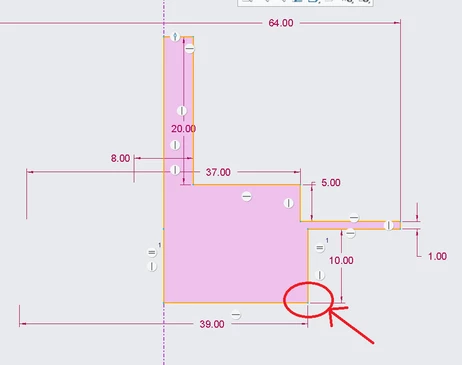
001140.png

When i use the tool in my trajectory path, this is this point whirch is follow the trajectory.

Even if i modify the sketch with construction segments...
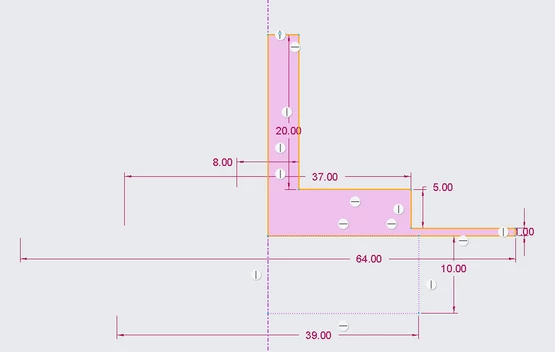
001139.png

Is there a solution to define the cutting edges of the tool ?


Thanks in advance

1 reply

14-Alexandrite
June 23, 2023

The picture shows one way, if I am interpreting your question correctly. Another would be to create a solid tool, and set the "TIP" coordinate system where you want on the tool centerline. I usually just use the KEY CUTTER type for saws. I've only had to use this method for 4 axis moves where solid tools are not suitable, and shape for simulation is critical. Notice the added coordinate system needed to make this work. You could also put the coordinate system on the axis if you want to use offset tool paths.

sketch_tool.png